David Meyer Portfolio
David Meyer.

Senior Product & Visual Designer

I've been designing for the web since 1999, and I've done the whole job: brainstorming and wireframes, visual design and art direction, prototypes, design systems, and then seeing the work built and checked at every breakpoint. Brand launches, campaigns, email, responsive sites and product flows, for a start-up, for eBay and for a family of healthcare brands. Lately AI tools let me go from idea to working page faster than ever, and knowing every step is what makes them useful.

Available now · full-time or contract Long Beach, CA Since 1999
Featured work

Eight brands on one component library

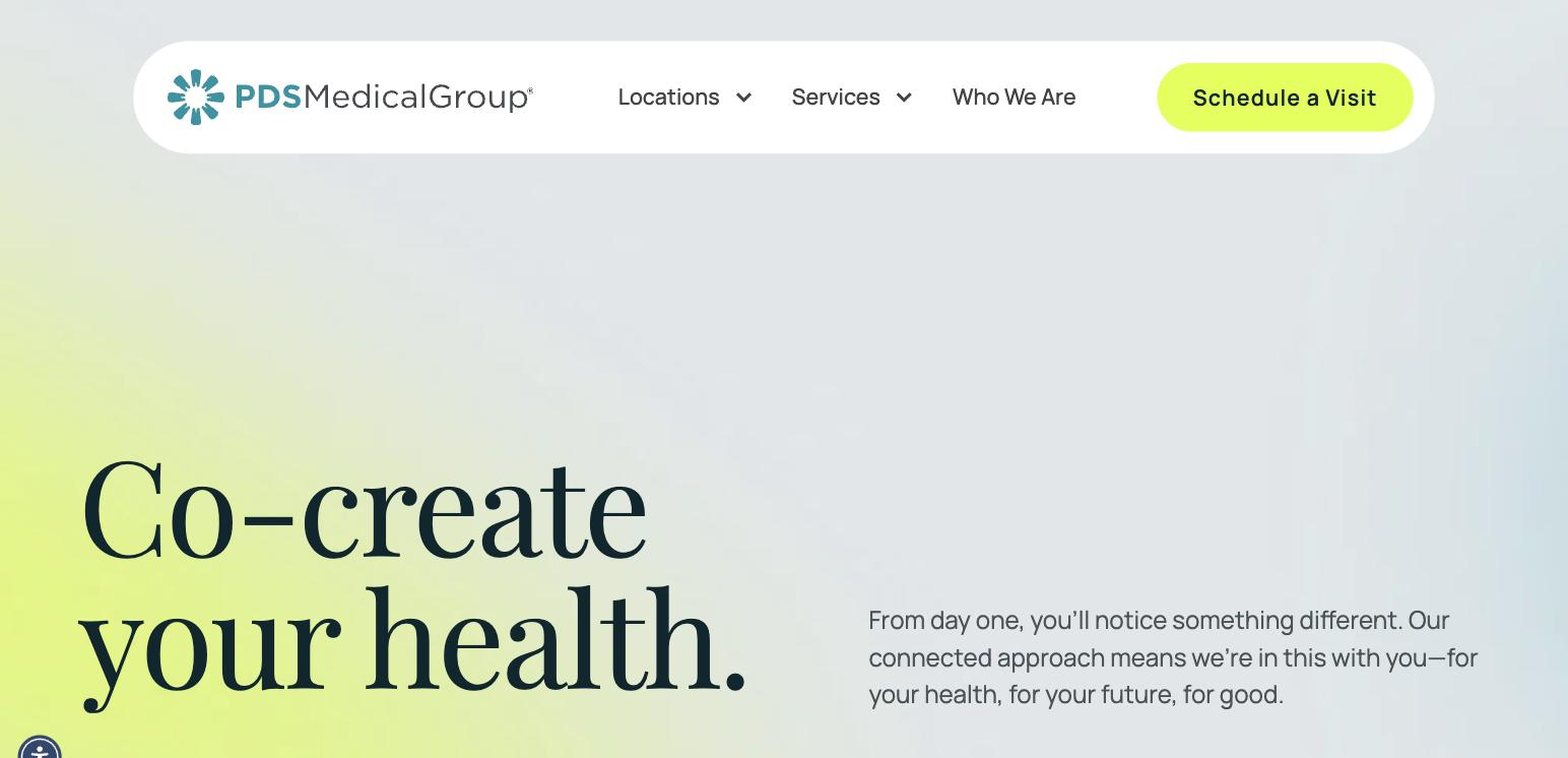
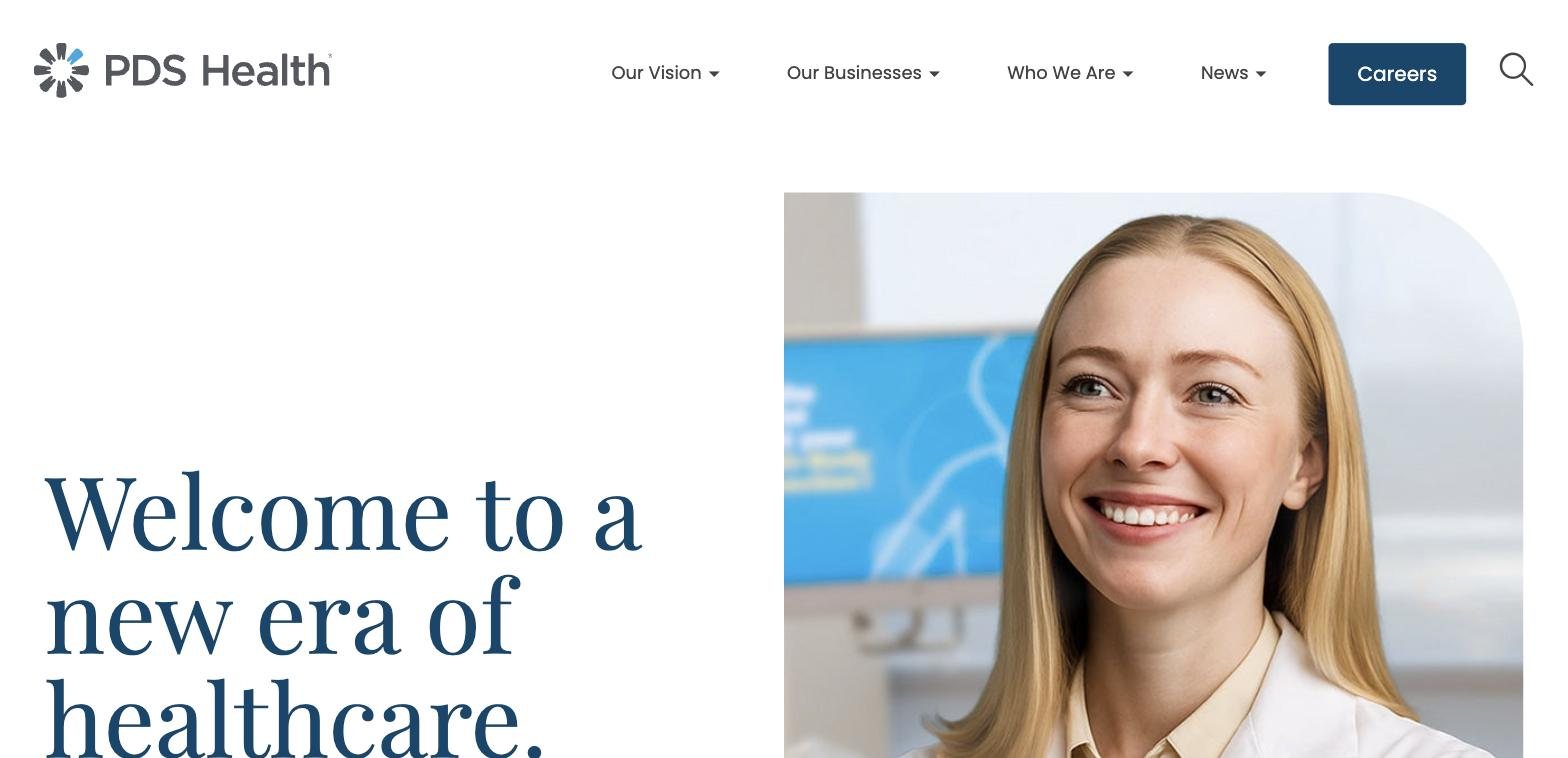
PDS Health rebuilt every page across its eight brands in AEM, all on a shared set of components. Six are corporate sites. The other two, General Practice and Kids Dentistry, are platforms carrying more than 1,000 individual dental office sites. I built most of those pages and took them through QA.
AI in my work

I've embraced AI, and it shows in the work

AI is the biggest change to design I've seen in more than 25 years, and I jumped in early. It has changed how I work in a very short time: I do more, I do better work, and I do it faster.

The trick is knowing every step of the process, so I can give the tools precise direction and tell when the output is wrong. I still make the design calls. AI handles more of the repetitive work.

  • From Figma to a live pageI aligned a Figma component library with the components it gets built from, so AI could build pages straight from a Figma design.
  • Design tokens AI can readPulled each brand's colors, type and spacing into one token file per brand, so AI-built work stays on brand.
  • Everyday toolsClaude, Claude Code and Figma's MCP connection for building, audits, documentation and code, with AI doing much of the heavy lifting.
ClaudeClaude CodeFigma MCPDesign tokensAI-assisted prototyping
What I bring

Design, the build, and the system underneath

Design

  • UX/UI and visual design
  • Wireframes and prototypes
  • Art direction
  • Campaigns, email, banners
  • Brand style guides

Production

  • Adobe Experience Manager (AEM Cloud)
  • Experience Fragments
  • HTML, CSS and JavaScript embeds
  • Responsive QA at every breakpoint
  • Dynamic Media image profiles

Systems

  • Design systems and component libraries
  • Figma library mapped to AEM
  • Component documentation
  • Brand design tokens
  • Cross-brand audits
  • Developer-ready Jira tickets

Tools

  • Figma, Adobe XD, Sketch
  • Photoshop, Illustrator, InDesign
  • AEM, Jira
  • Adobe Analytics, Lighthouse
  • Claude and the Figma MCP
← All work

2015–2026

PDS Health

Senior UX/UI DesignerIrvine, CAOct 2015 – Sep 2026

Ten years with a dental healthcare organization, in two chapters. For the first six I designed for its brands. For the last four I sat on the dev team as its designer, building the company's rebuilt web presence in AEM.

The scope

Eight brands, two very different jobs

Every brand runs on the same AEM component library, so a consumer dental brand, a primary care medical group and a business-facing technology company are built from the same parts. Most of the work was making a distinct brand land inside a shared system, and catching the designs that would break it before they reached production.

Six corporate sites
  • Smile GenerationSG
  • PDS HealthPDSH
  • Pacific Dental ServicesPDS
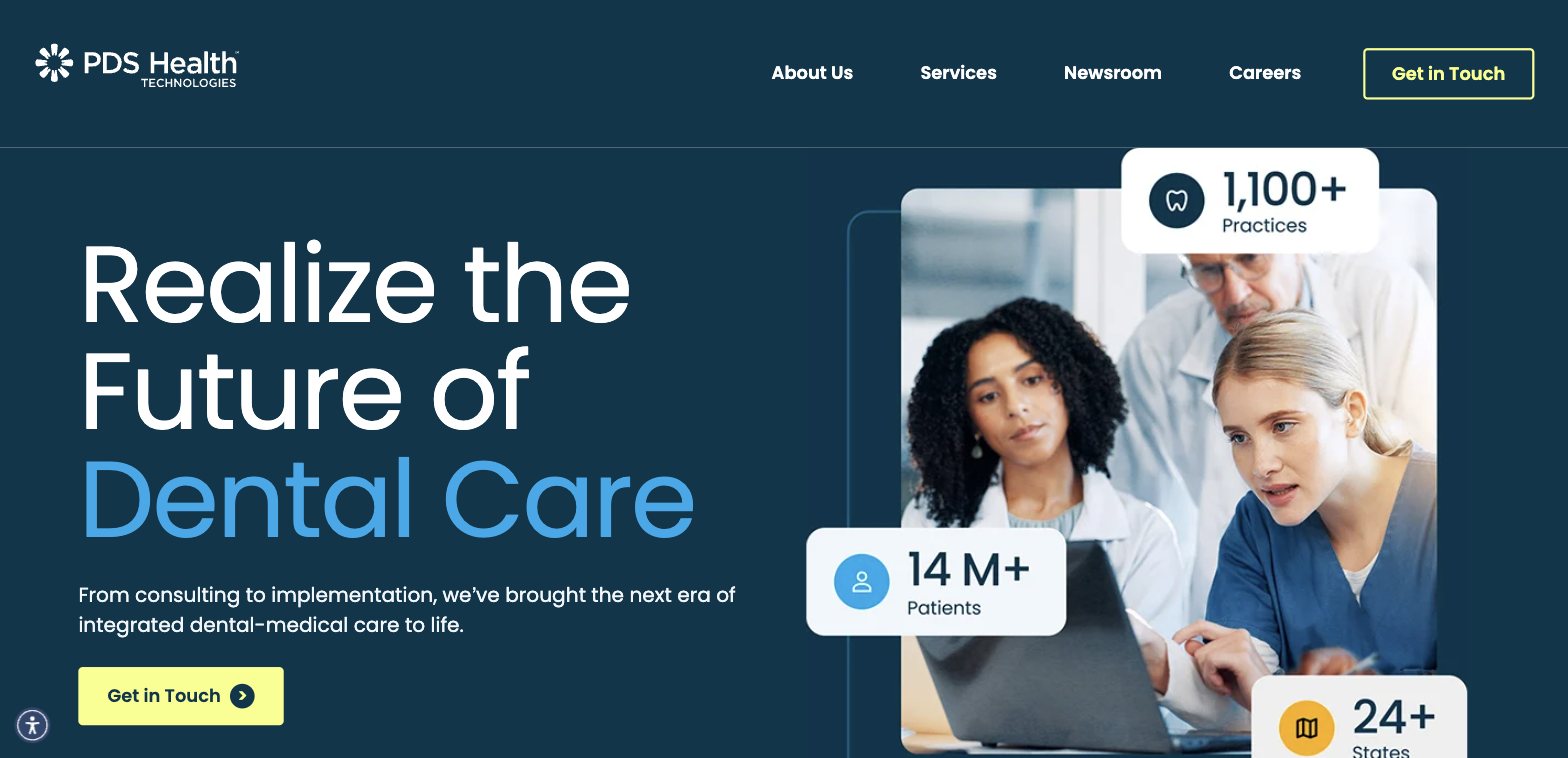
  • PDS Health TechnologiesPDSHT
  • PDS FoundationPDSF
  • PDS Medical GroupPDSMG
Two office platforms
  • General Practicegp.pdslocal.com
  • Kids Dentistrykd.pdslocal.com

1,000+

individual dental office sites generated from these two platforms.

Live today

Pages I built

Captured from the live sites in October 2026. Each one opens the real page.

Also live: gp.pdslocal.comkd.pdslocal.com
2022 – 2026

The designer on the dev team

Figma→AEM→embeds→Stage→QA→Prod…and when all else failed, !important

Designs came from the in-house marketing team. From there the page was mine until the developers released it.

  1. Read the design against the system. Check it in Figma against what the shared components can actually do, and flag what won't survive before anyone starts building.
  2. Prepare the assets. Export and size images, set up Dynamic Media crops, and file them where the next author can find them.
  3. Build it in AEM. Assemble the page from components and Experience Fragments. Where a component fell short, I adapted HTML, CSS and JavaScript embeds and overrides to close the gap.
  4. Make it hold at every breakpoint. Desktop, tablet and phone, and the awkward widths in between.
  5. QA on Stage, then hand to dev. Pages that other authors started came to me to finish and fix across breakpoints.
Design system

Oxygen: one library, eight brands

Oxygen is the design system all eight brands share. I built its documentation site in AEM, so every component on it is a live, authorable AEM component running the same code as production.

Each brand has its own guide for color, type, logos and buttons, so any component can be previewed in any brand's style from one source. The Figma component library mirrors those AEM components, with the same names and structure, so a Figma design maps directly to what can be built.

Explore the Oxygen design system ↗
Figma to AEM with AI

Knowing every step makes AI useful

Because the Figma library and the AEM components line up, I could work from a Figma design with Claude and Figma's MCP integration and get to a live AEM page much faster. Knowing the whole process is what makes it work: I can give the tools precise direction, and I can tell when the output is wrong.
  • Brand tokens for six brandsPulled each brand's colors, type and spacing out of its stylesheets into one token file per brand, so designs and builds draw from the same values.
  • Component audits at scaleCounted 7,878 spacer components across 762 pages on six brands, so the team could see where layout was being forced and plan the cleanup.
Systems work

Fixing it once, for every brand

  • Content consistencyNormalized "health care" to "healthcare" across three brands, including 67 press releases on PDS Health alone.
  • Image pipelineSet up Dynamic Media image profiles and crop sizes for a new set of dental service pages, so one high-res source serves every breakpoint.
  • Design QAProposed a design review step in the Jira workflow, before PM sign-off, so pages are checked against the design before they ship.
2015 – 2022

Designing for a growing family of brands

Before the move to the dev team, I designed for Smile Generation, Pacific Dental Services and the supporting brands: responsive web pages and landing pages, banners, email campaigns, infographics and social creative.

I took work from wireframes and prototypes through high-fidelity mockups, and set visual direction and style guides that kept several brands consistent with each other.

FigmaAdobe XDSketchBalsamiqPhotoshopIllustratorInDesignAEM CloudJiraAdobe AnalyticsLighthouse
← All work

Projects

Selected PDS Health projects

UX/UIPrototypingJourney mapsEmail

Case studies from my years designing for PDS Health's brands, from sketches and wireframes to prototypes and the finished pages.

PDS Health

Online Scheduler

Booking, rescheduling and cancelling on the office websites

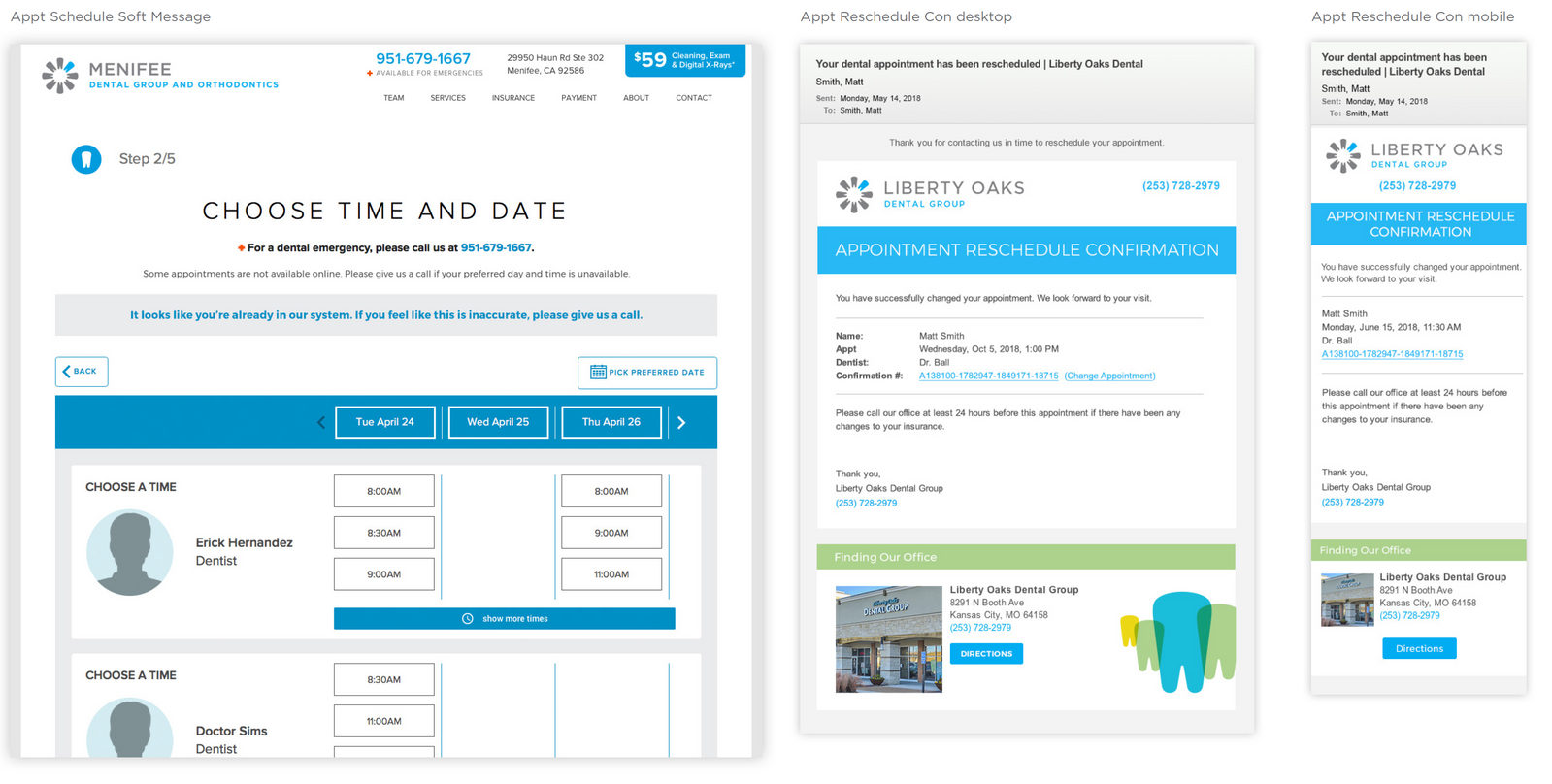
I built out an online appointment scheduler that lets patients book appointments online, right from their local dental office's website.

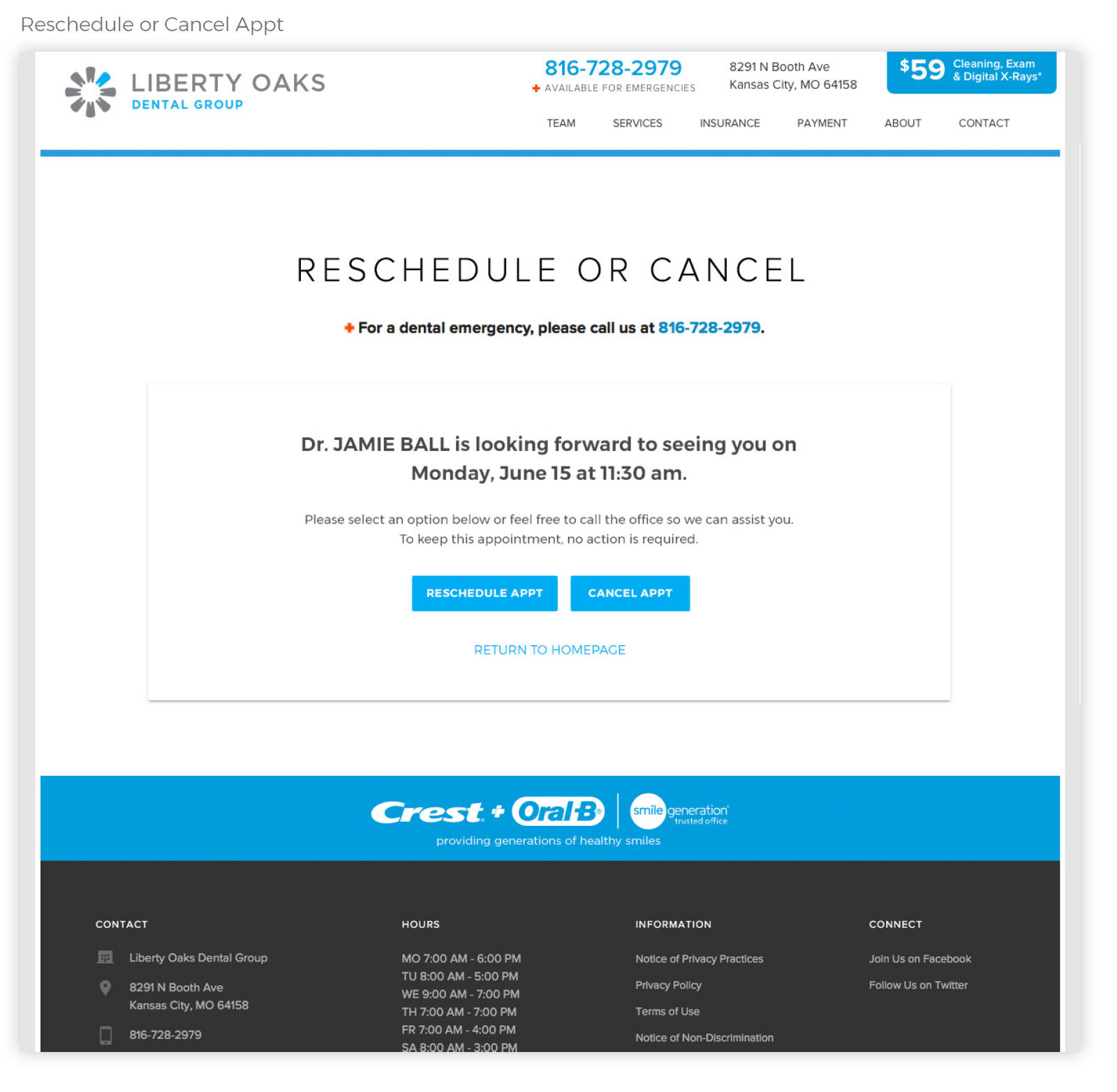
Phase II added rescheduling and cancelling. That was tricky because patients don't log in, so the solution was to email or text each patient a code that lets them change or cancel the appointment.

The final layouts and prototype were done in Adobe XD, so we could test the whole flow before any development time was spent.

Adobe XDUX/UIPrototyping
Reschedule or cancel: the page a patient lands on from their email or text.
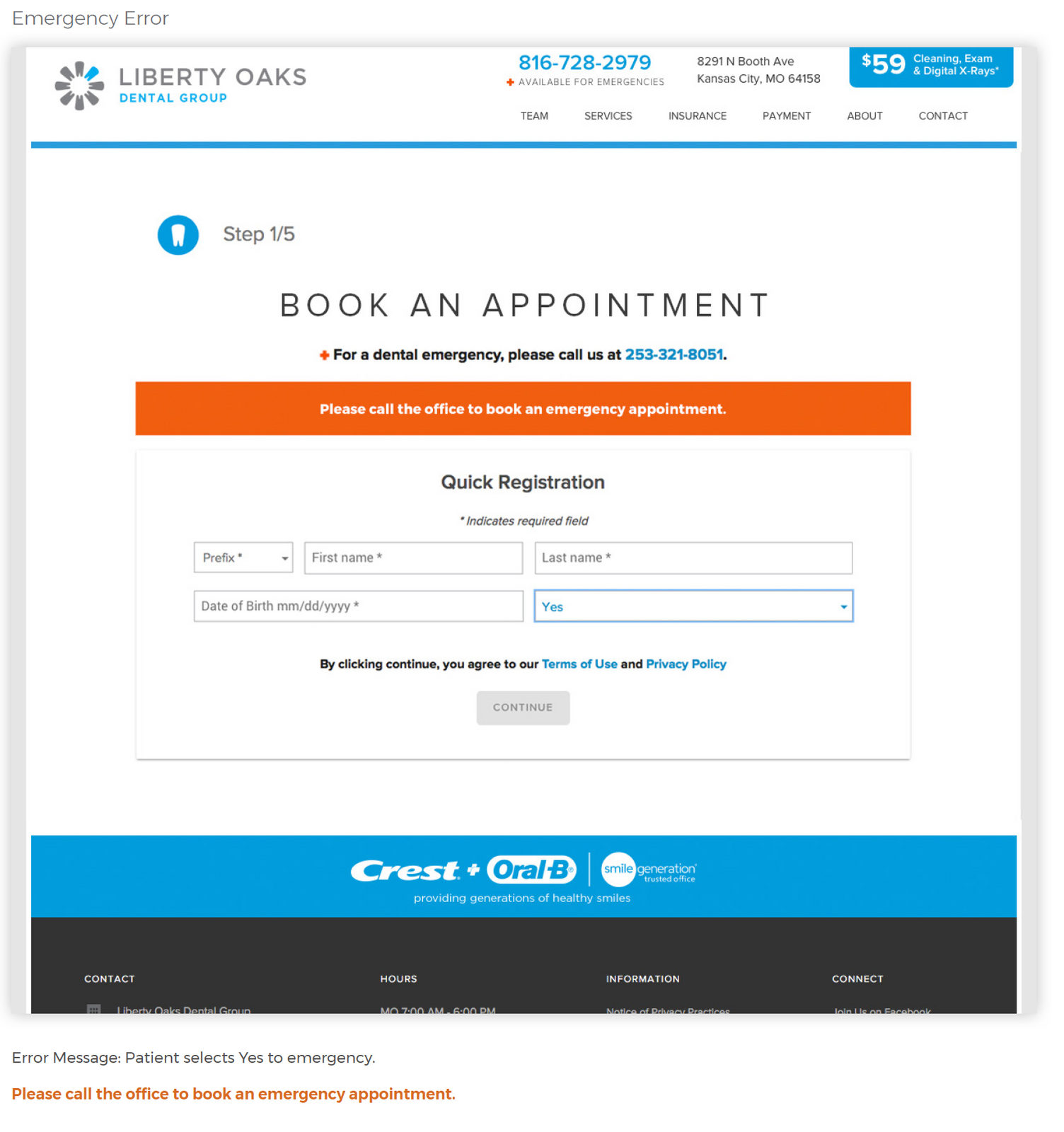
Booking an appointment, with an emergency message when a patient needs to call the office.
Choosing a time and date, with confirmation screens for desktop and mobile.
PDS Health

Mouth-Body Connection Quiz

From sketch to a quiz patients take on their phones

While promoting the Mouth-Body Connection for a new office, I pitched a quiz to teach patients how oral health connects to overall health. The idea was met with some doubt, so I had to sell it before any development.

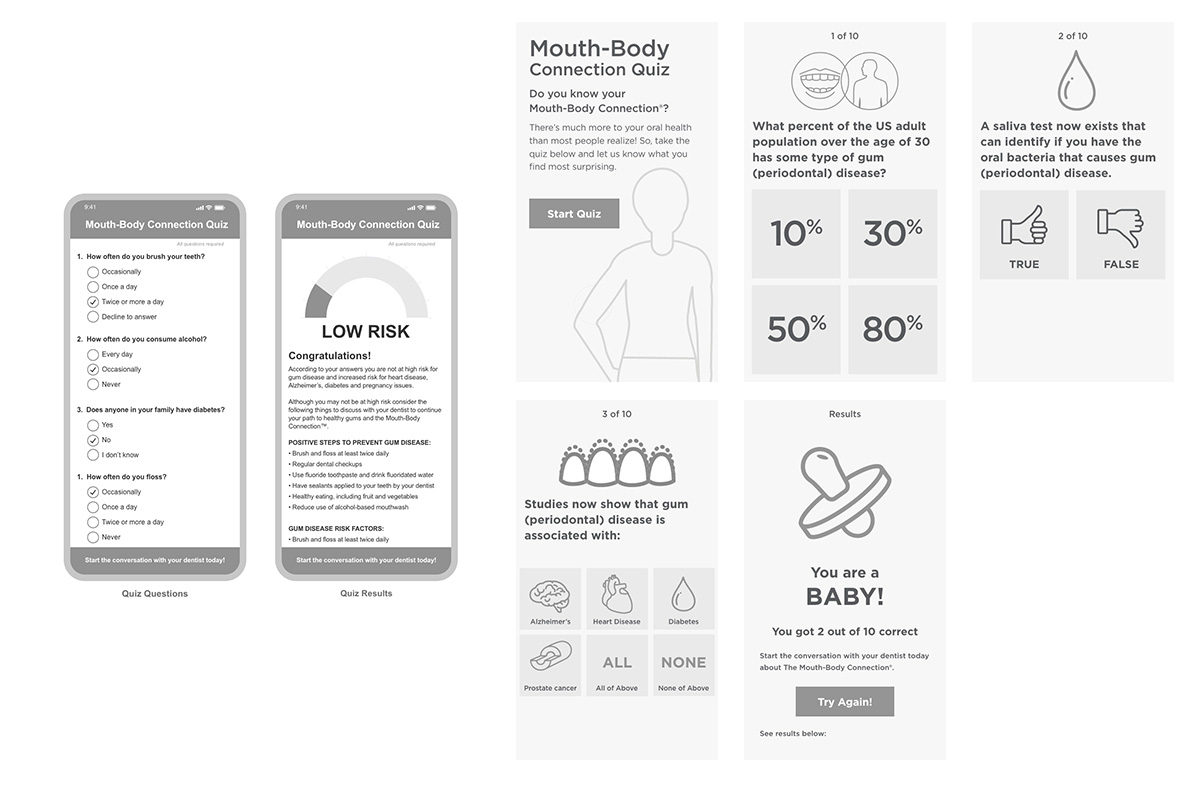
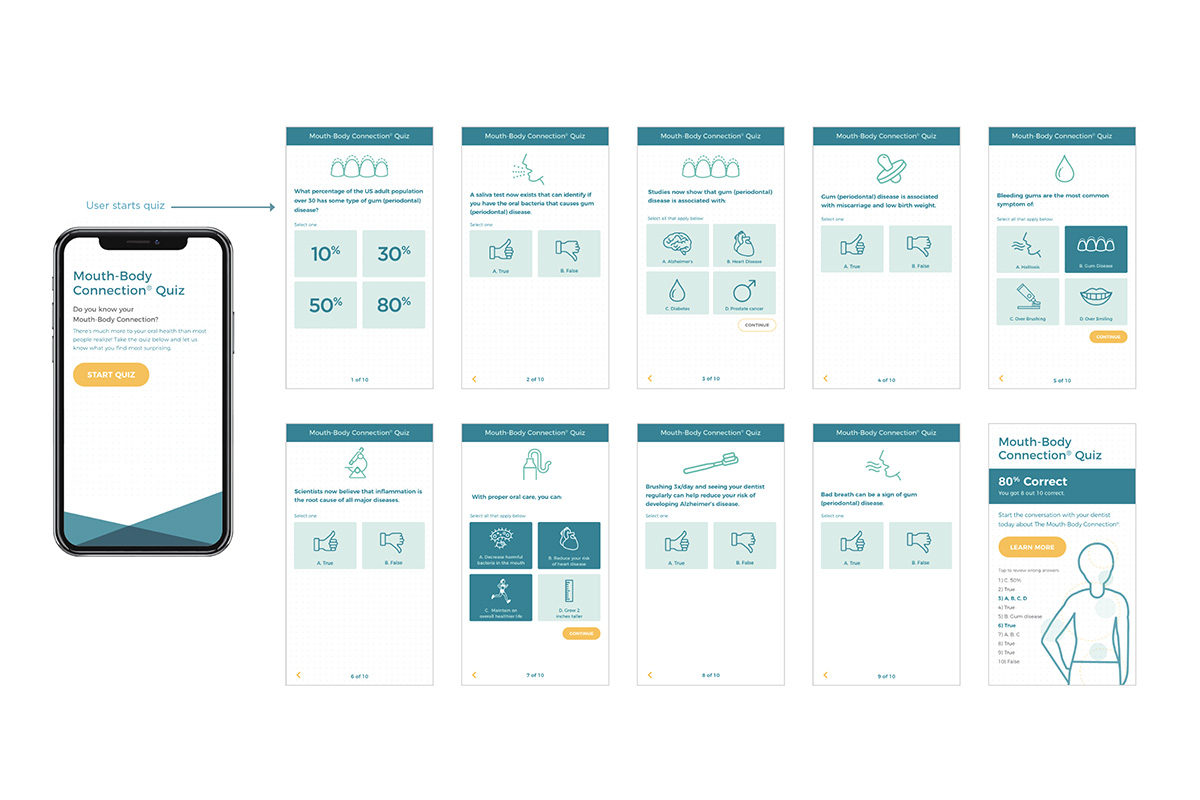
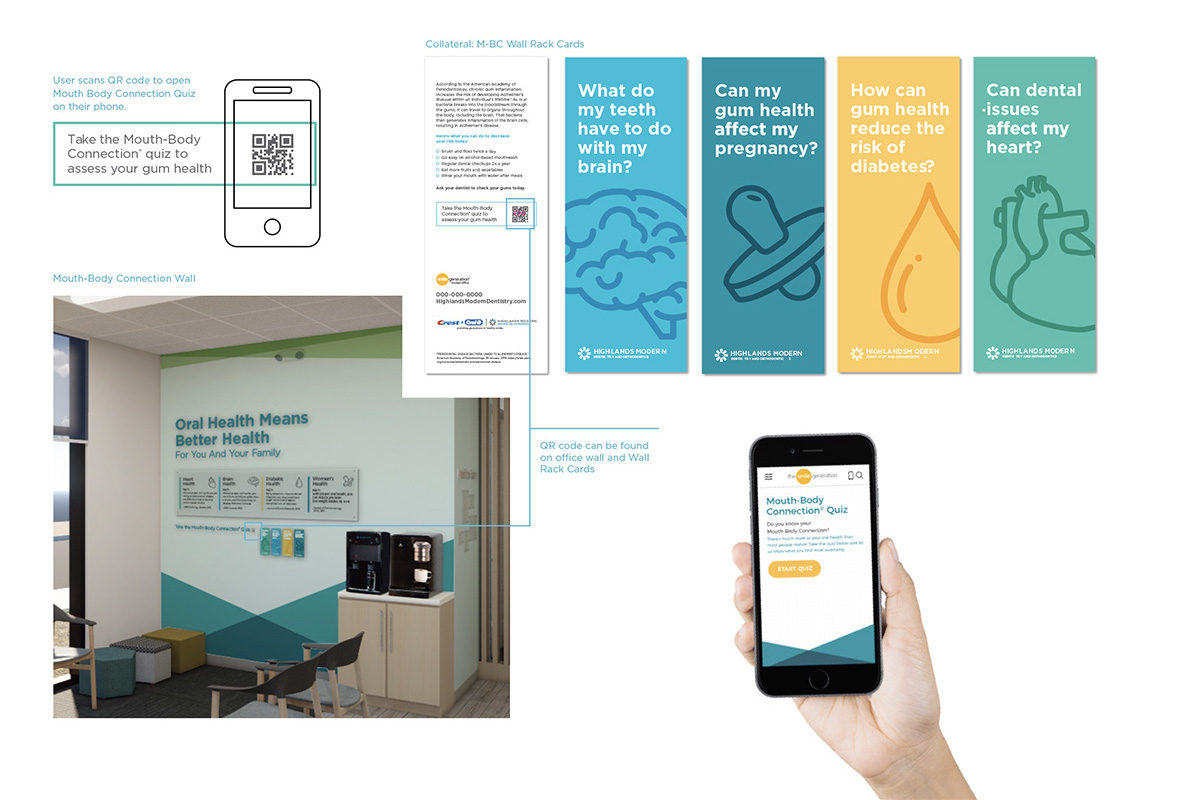
I started with sketches, then built mobile-first prototypes in Adobe XD, realistic enough that people believed they were using the finished product. Most patients reach the quiz through a QR code in the office or on printed material.

Once stakeholders saw the prototype, the project got the green light and the pages were built.

SketchingAdobe XDMobile-firstPrint + QR
Early sketches and wireframes for the quiz flow.
Mobile prototype screens tested before development.
In the office: QR code signage and the quiz on a phone.
PDS Health

Patient Journey Map

Every message a patient gets in the 30 days around a visit

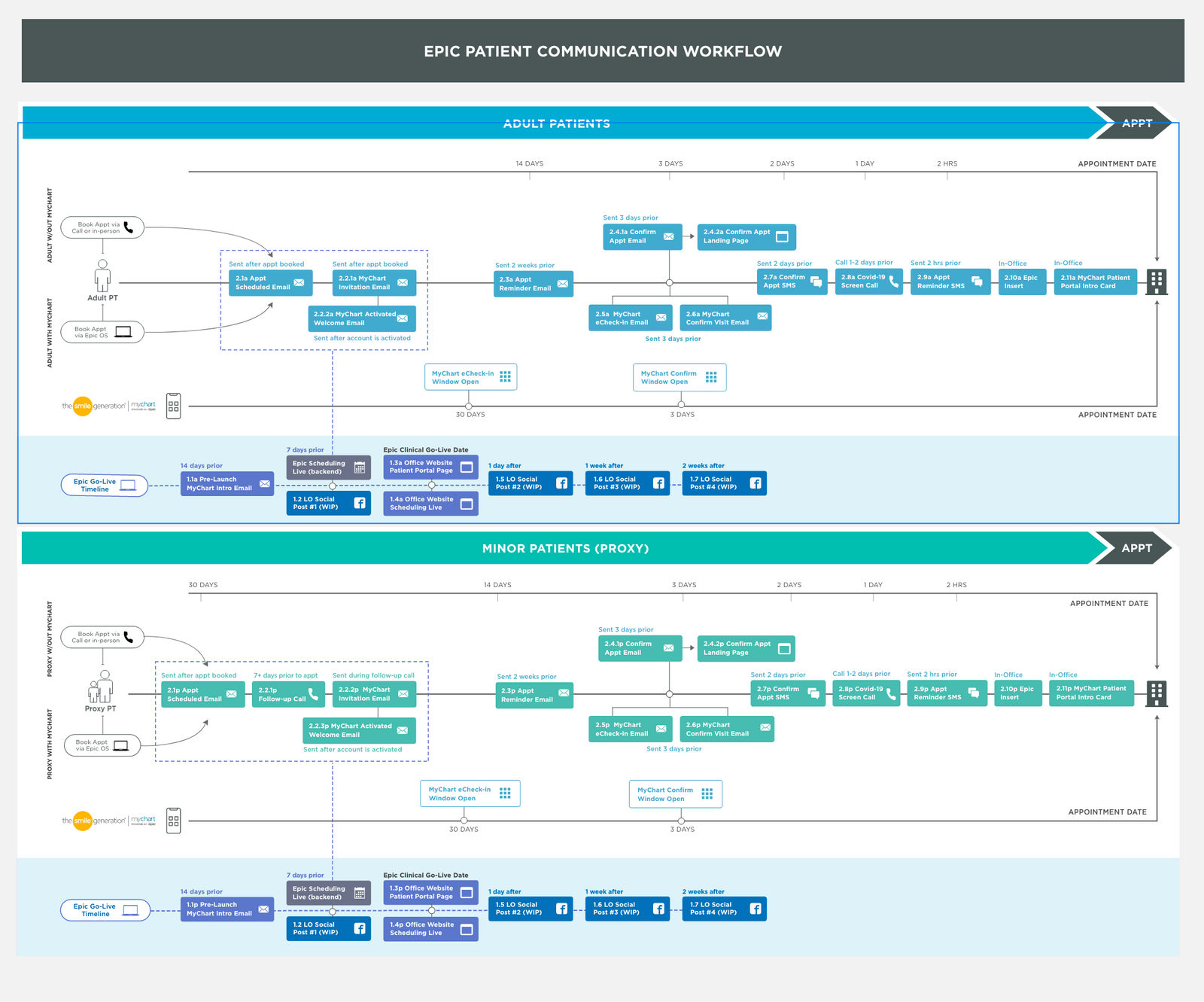
I built an interactive journey map so stakeholders could see, in one place, every patient communication sent through Epic for adult and minor patients within 30 days of a dental appointment.

It covers emails, SMS, calls, social media and office collateral. Seeing the whole flow, instead of a set of separate projects, let us tune the journey, which helped increase local office appointments and reduce cancellations and no-shows.

Journey mappingEpicEmailSMS
The full patient communication workflow.
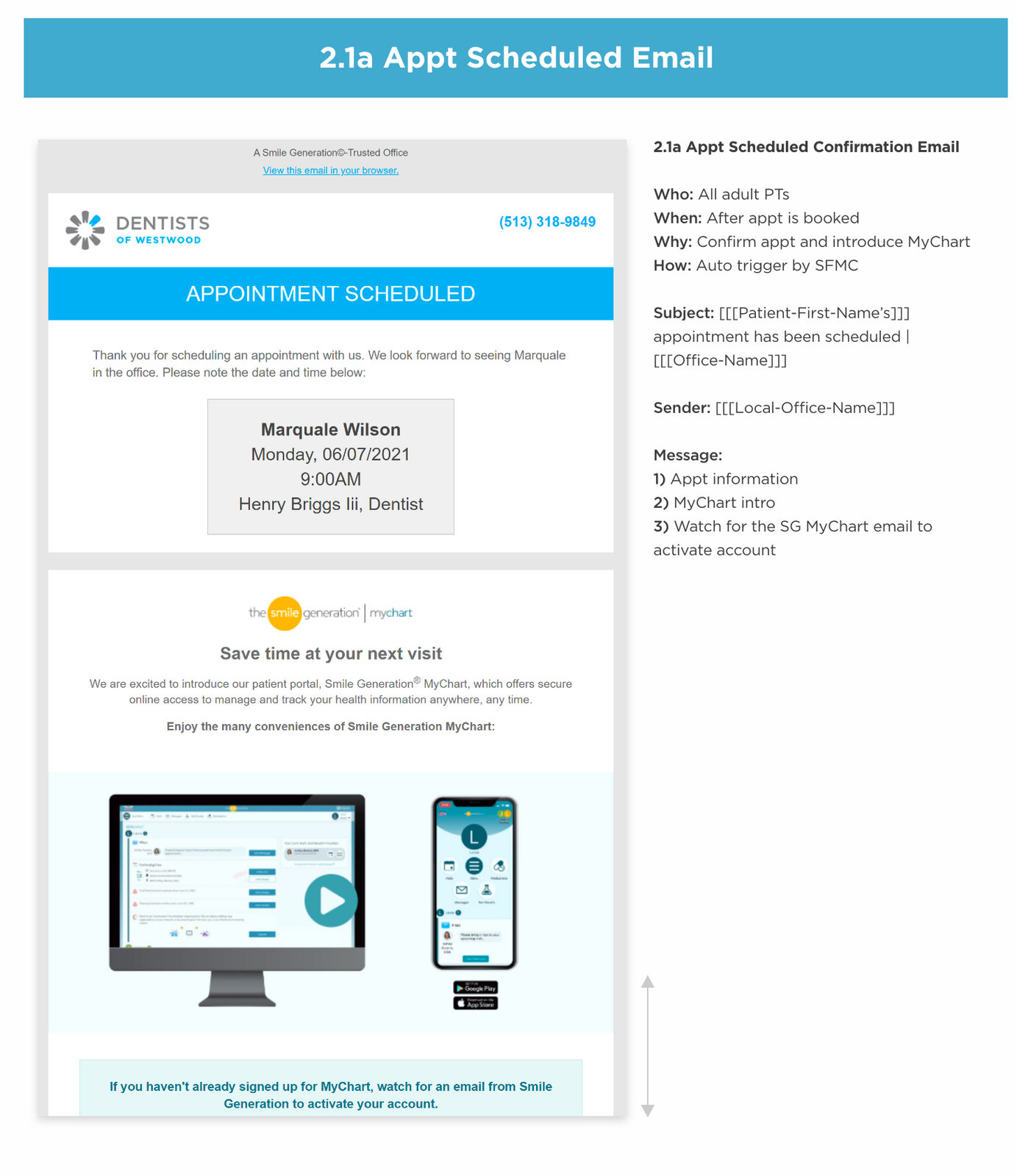
Each touchpoint documented: who it's for, when it sends and why.
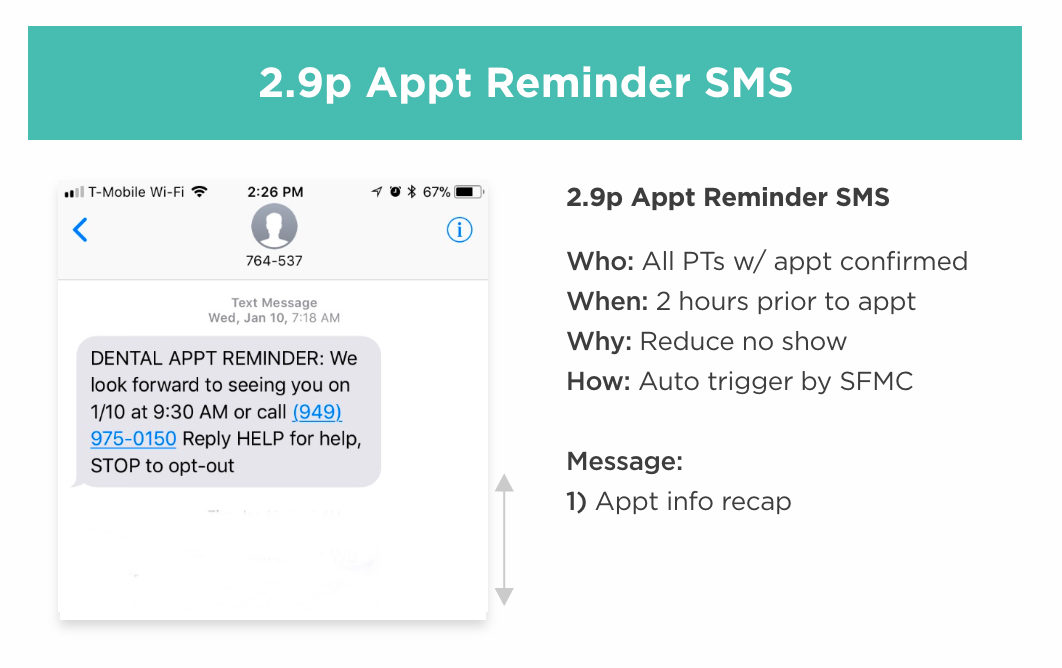
An appointment reminder text, two hours before the visit.
PDS Health

PDS Foundation

A redesign and launch in a matter of weeks

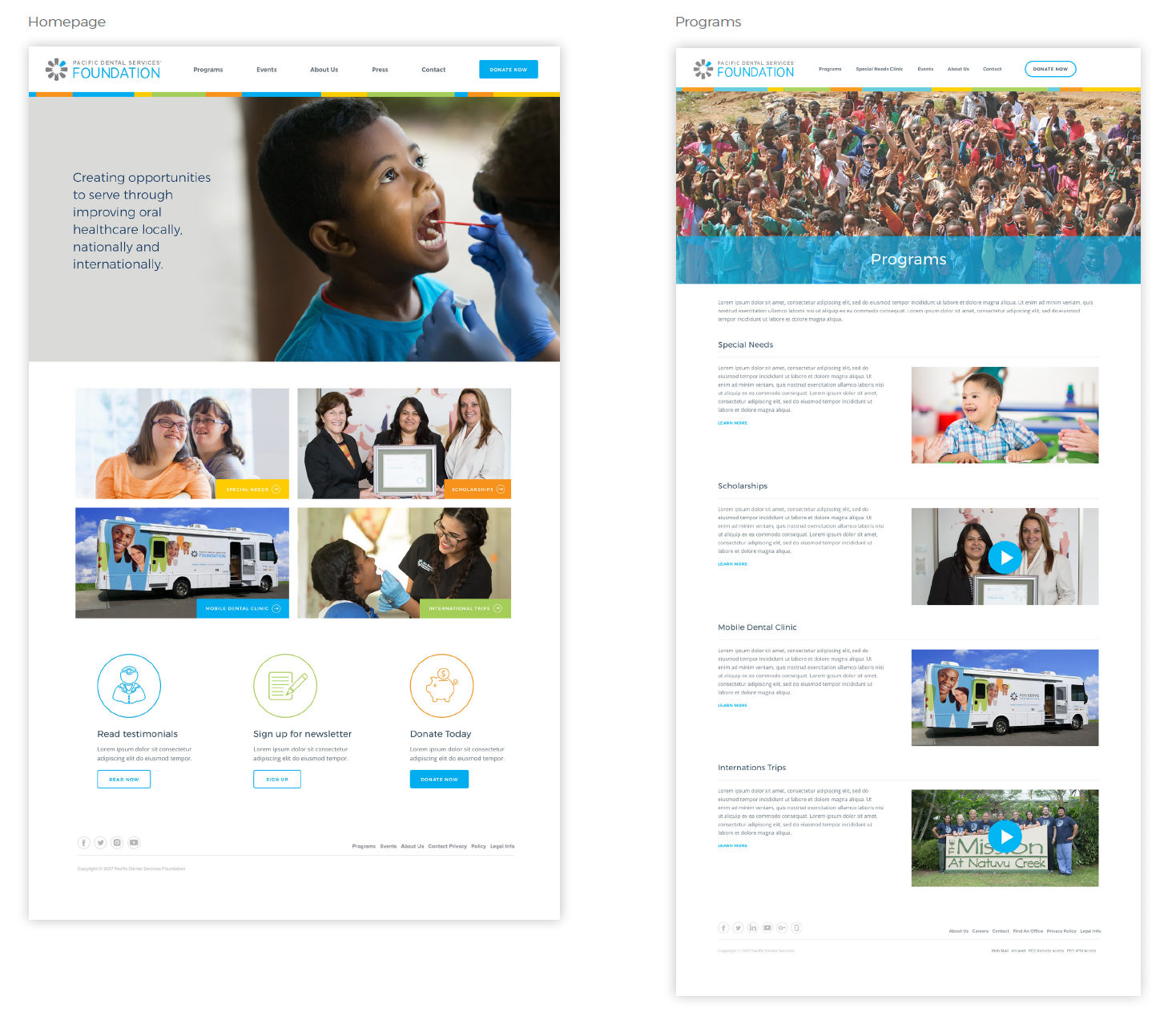
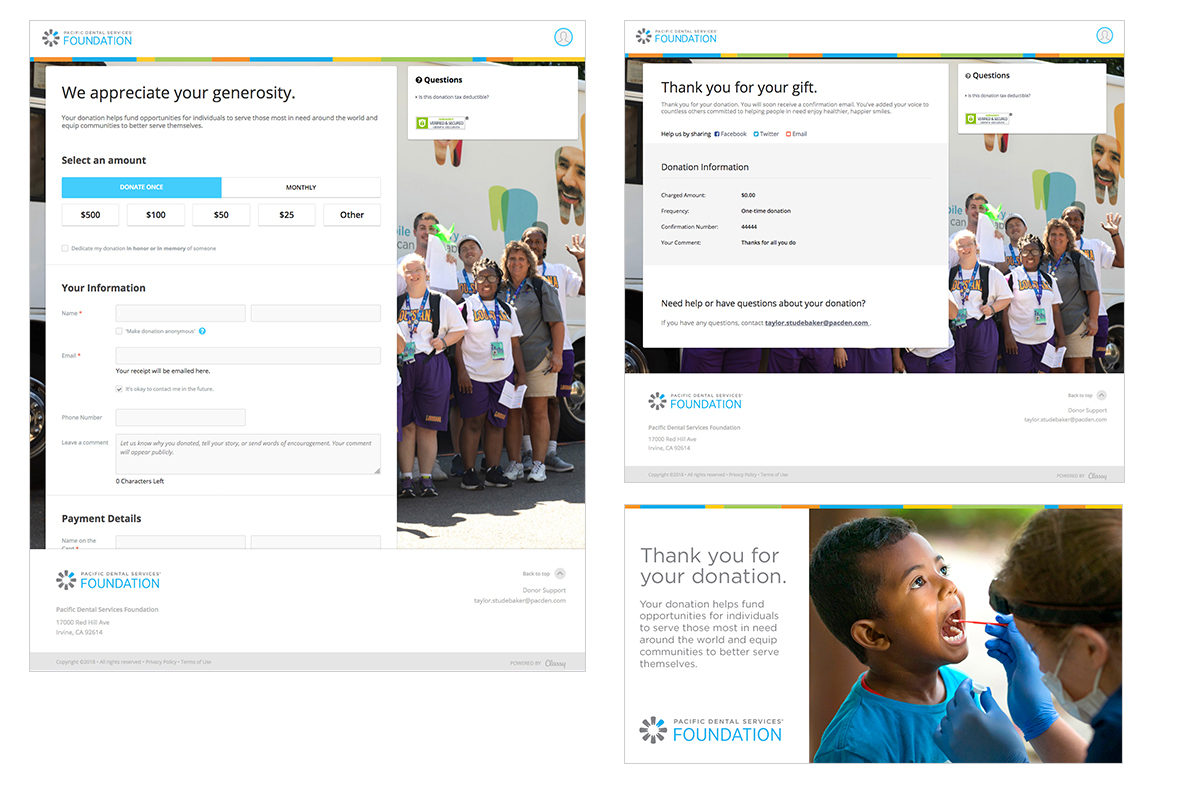
I was asked to redesign and launch the PDS Foundation website in a matter of weeks, with a way for visitors to give to several causes: a mobile dental clinic, international outreach, special needs advocacy and training, and dental assistant scholarships.

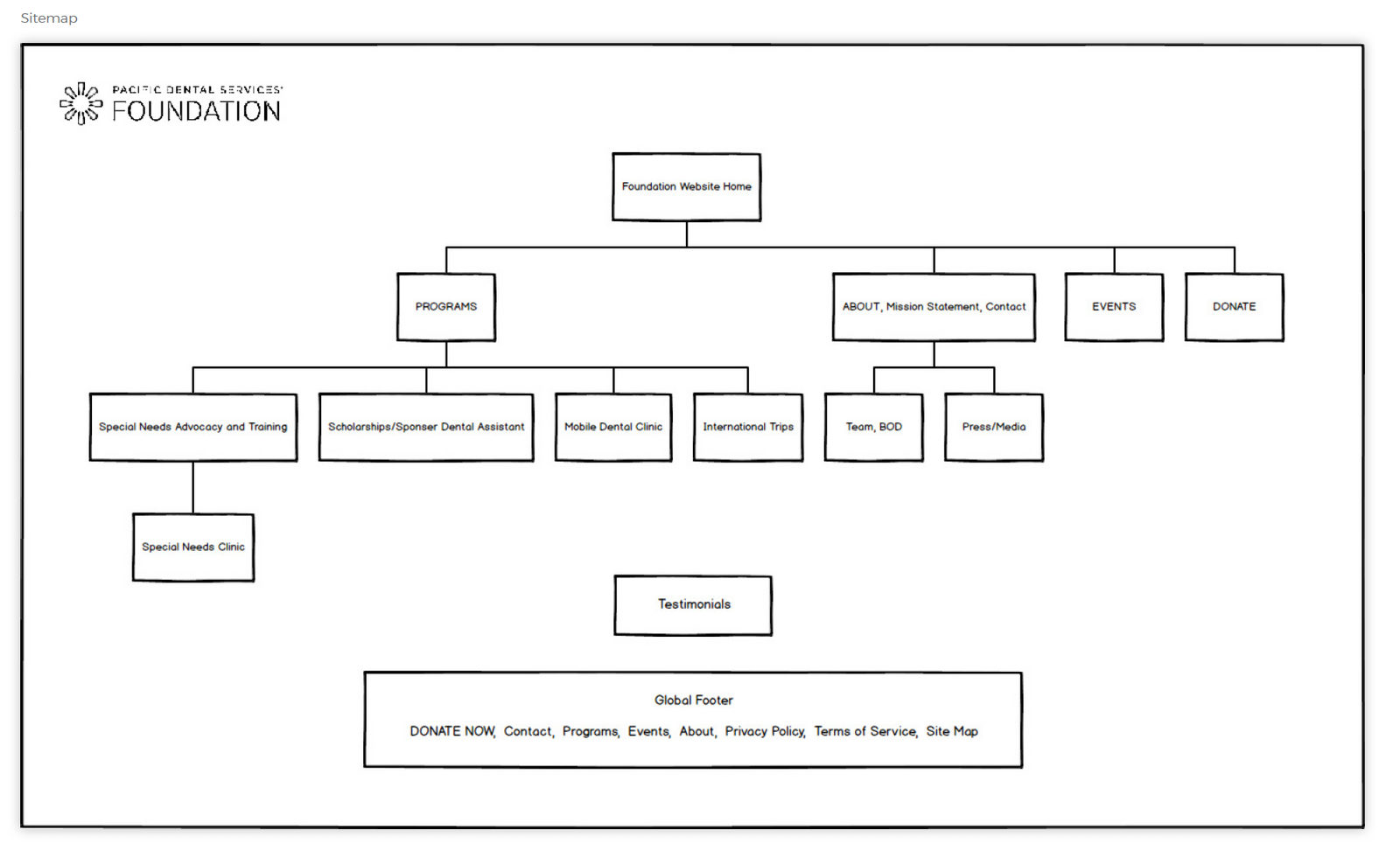
I started with a site map and lo-fi wireframes in Balsamiq. After feedback, I built hi-fi prototypes for desktop and mobile in Sketch and ran reviews in InVision. We integrated Classy.org for end-to-end donation processing, including email campaigns.

The new site raised awareness of the Foundation and increased individual, monthly and annual donations.

BalsamiqSketchInVisionClassy.org
Site map.
Site map.
Hi-fi home page and program pages.
The donation flow and thank-you pages.
PDS Health

Dentists for Special Needs

From a subpage to its own website

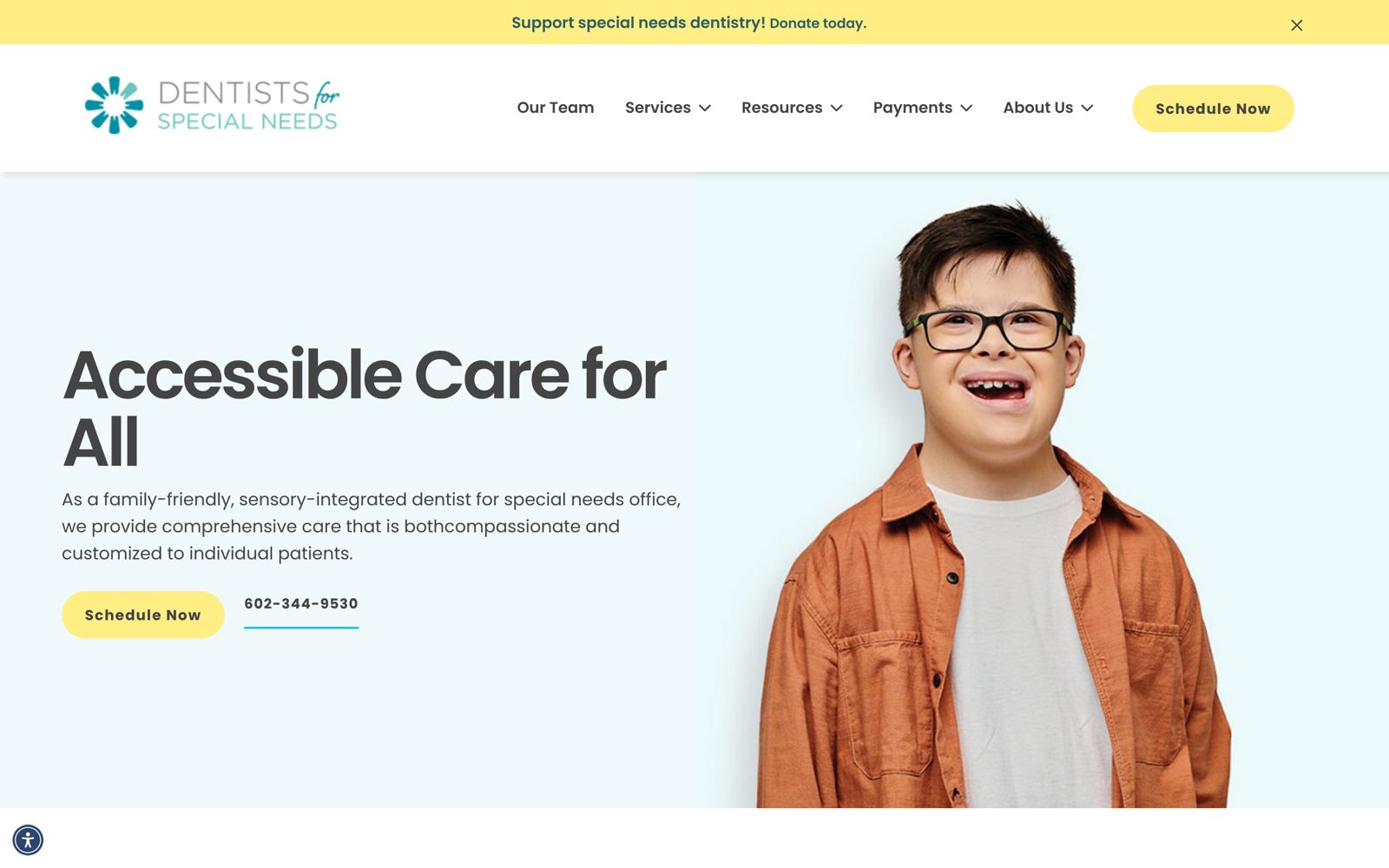
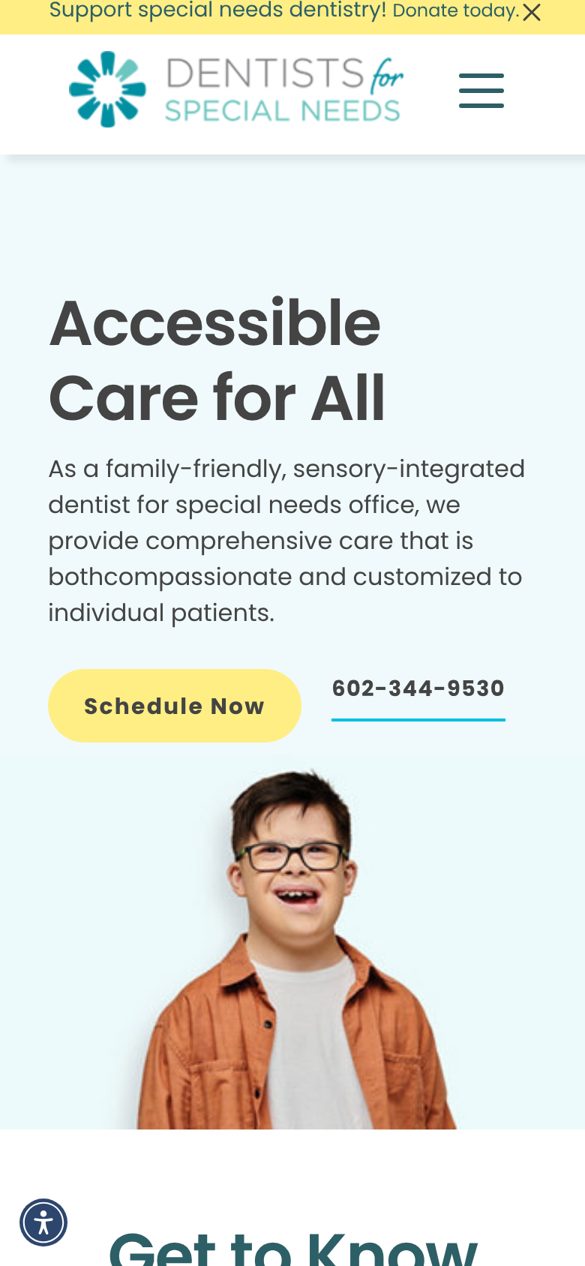
Dentists for Special Needs started as a subpage on the PDS Foundation site. I designed it as its own stand-alone website, dentistsforspecialneeds.com.

New features included patient reviews that could also be reused on the office websites, a scrolling list of top donors above the footer, team photos and bios, insurance information, a local and national resources page with videos and downloadable PDFs, an FAQ, a Donate Now page, a What to Expect page with slideshows and illustrations, and a Contact page with a map.

Adobe XDInformation architectureAccessibility

Live today: dentistsforspecialneeds.com ↗

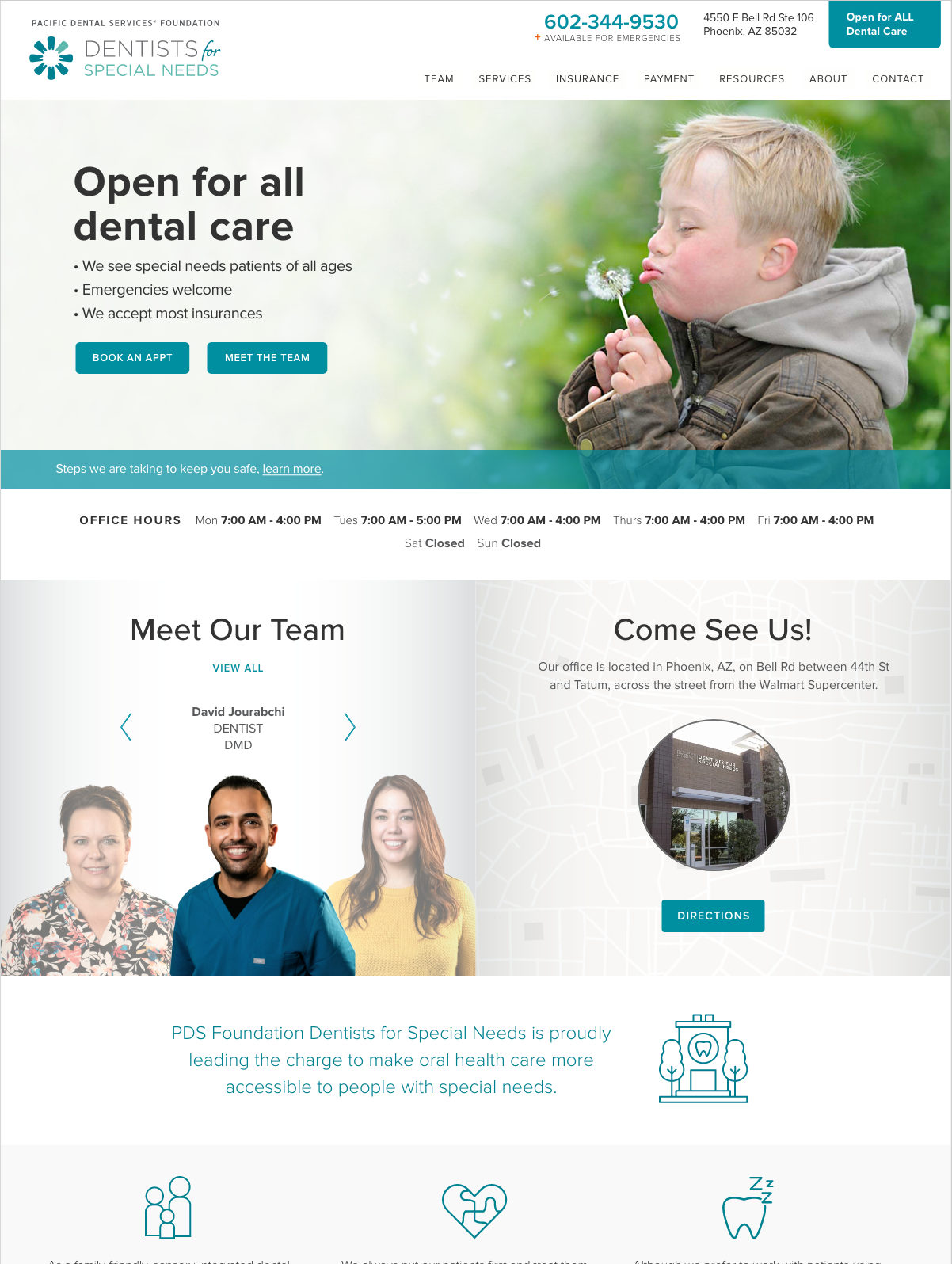
Dentists for Special Needs home page on desktop, captured October 2026.
The live site on desktop, October 2026.
Dentists for Special Needs home page on a phone, captured October 2026.
And on a phone.
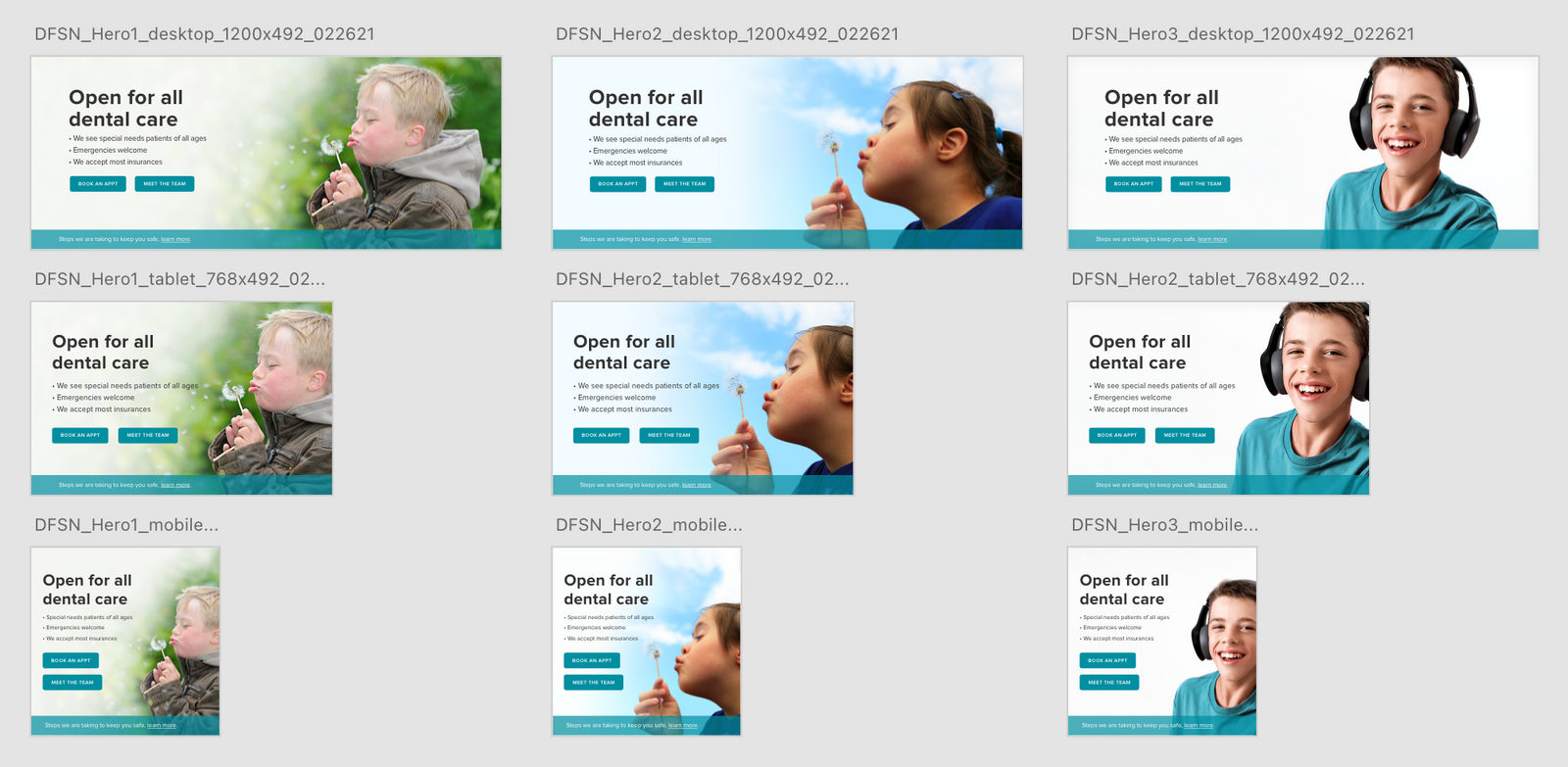
The home page: Open for all dental care.
Hero variations explored for the home page.
PDS Health

MyKidsDentist

Modular templates for kids' dental offices nationwide

I designed modular page templates for MyKidsDentist and EveryKidsDentist offices across the country. Working in AEM, I designed every page, and they had to support hundreds of offices. Five separate packages let each office personalize its site for its patients.

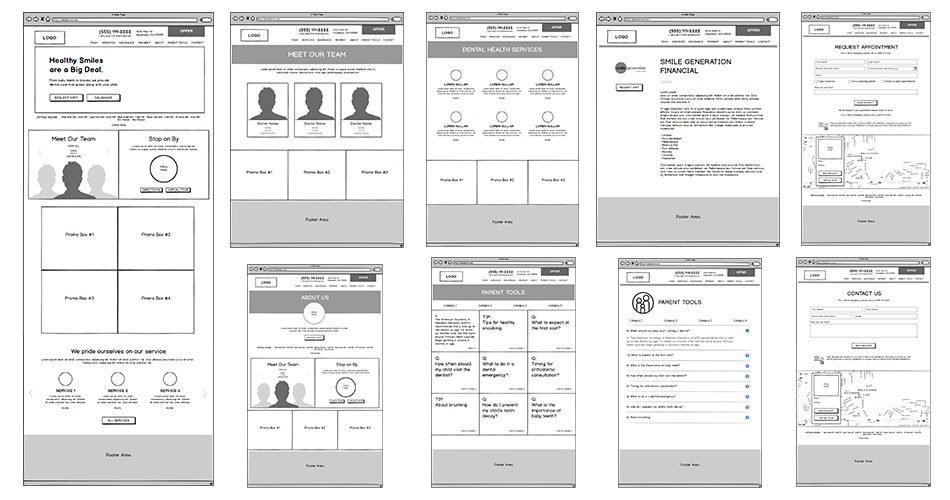
Wireframes came first in Balsamiq to focus on the experience. After the flow was approved, copy went in and the wireframes were skinned in Sketch. Prototypes went out through InVision for testing and feedback, and final assets were cut to the developers' recommendations.

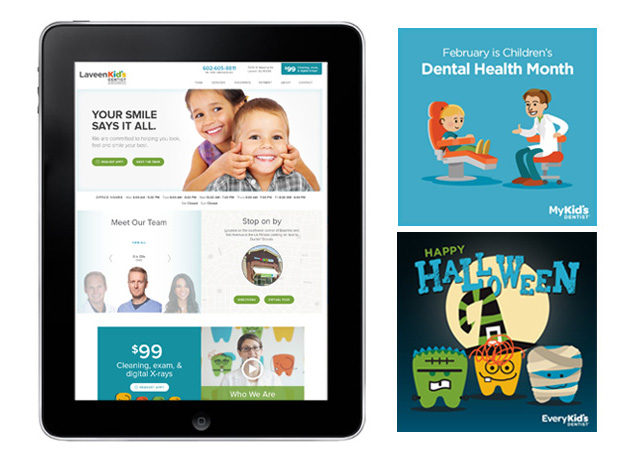
I also designed the emails, newsletters and social media banners for the brand.

AEMBalsamiqSketchInVision
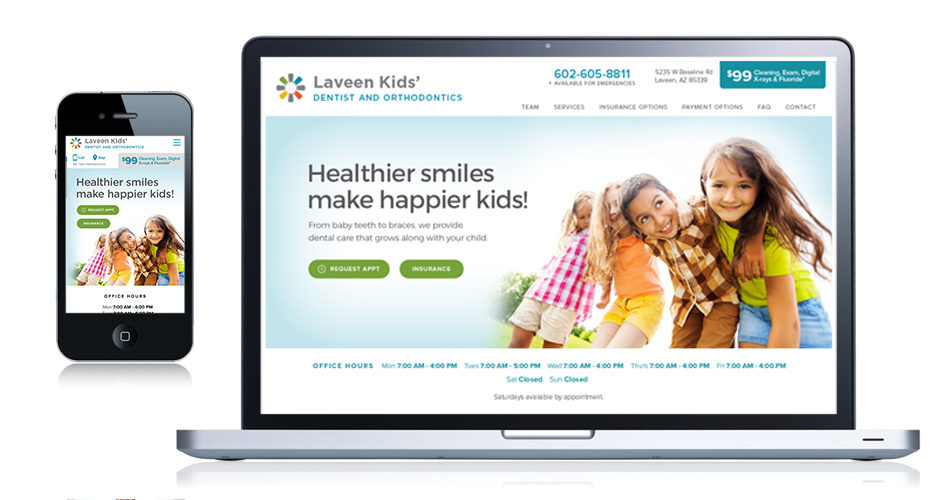
The responsive office site.
Balsamiq wireframes for the page templates.
Tablet layout and social media banners.
PDS Health

Smile Generation

Rebuilding a brand site from a few pages

SmileGeneration.com started as only a few pages. I gave the home page a facelift and built out dozens of original, SEO-friendly content pages to improve search results for the brand and its office pages.

I also designed the brand's emails, which we built and sent through Salesforce Marketing Cloud, including a new email template for the offices.

UX/UISEO contentBannersSalesforce email

Then

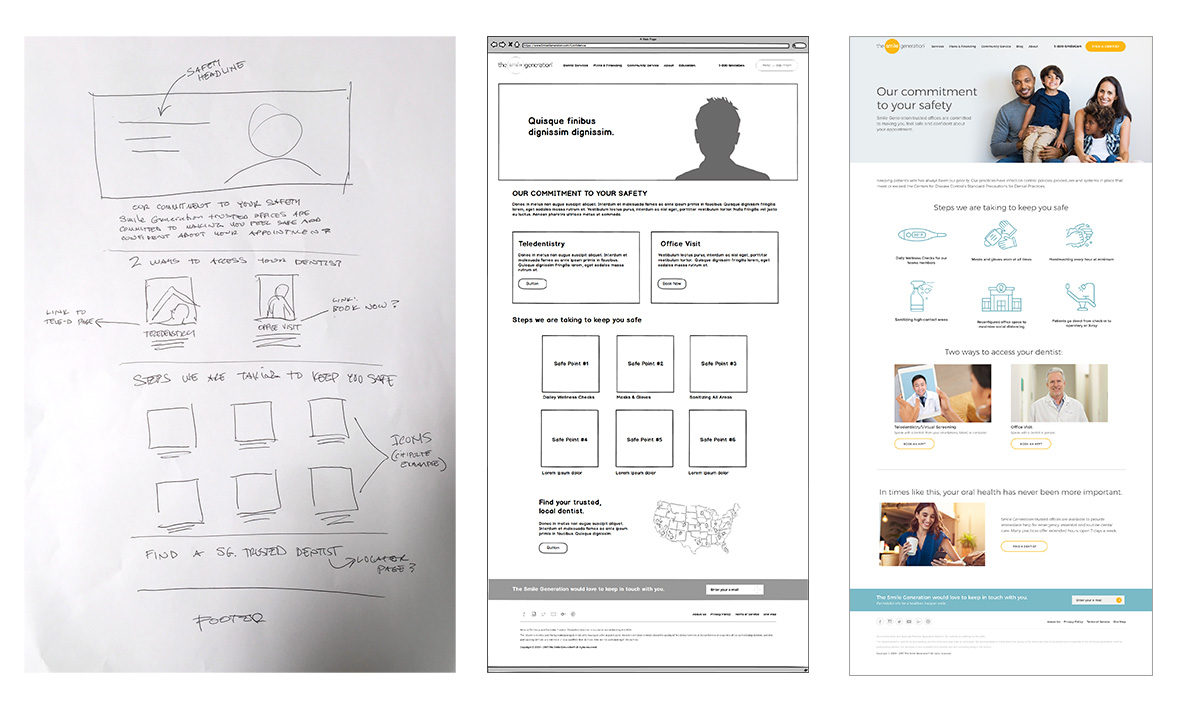
Then: from sketch to wireframe to the home page facelift.
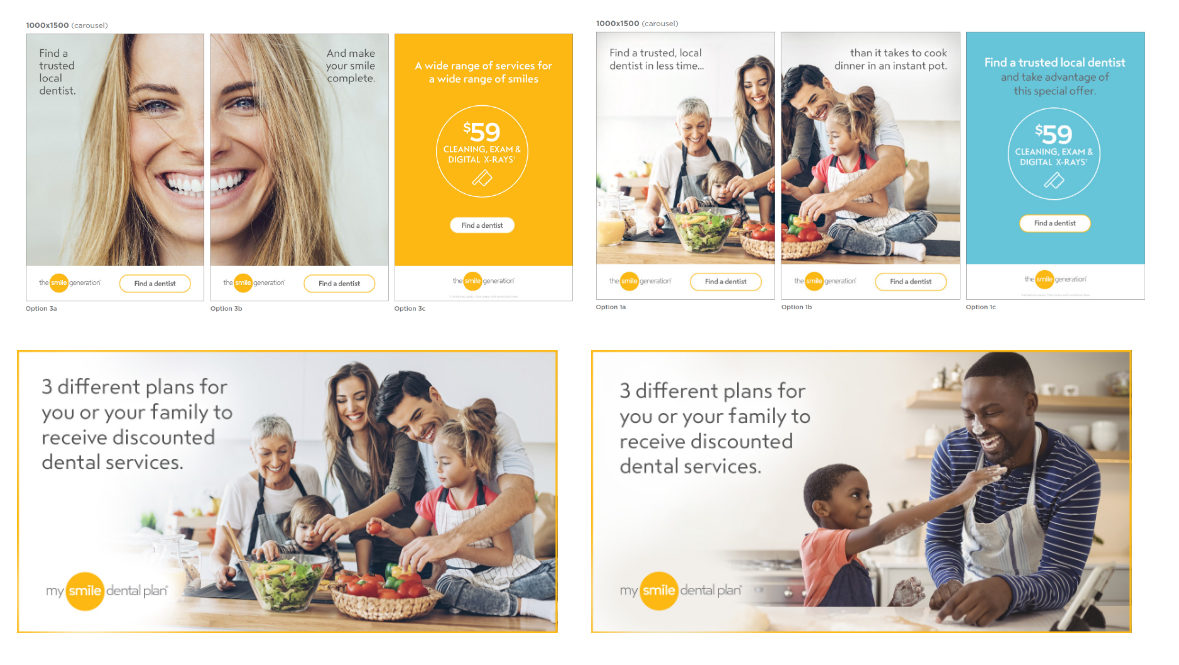
Campaign banners for the brand.
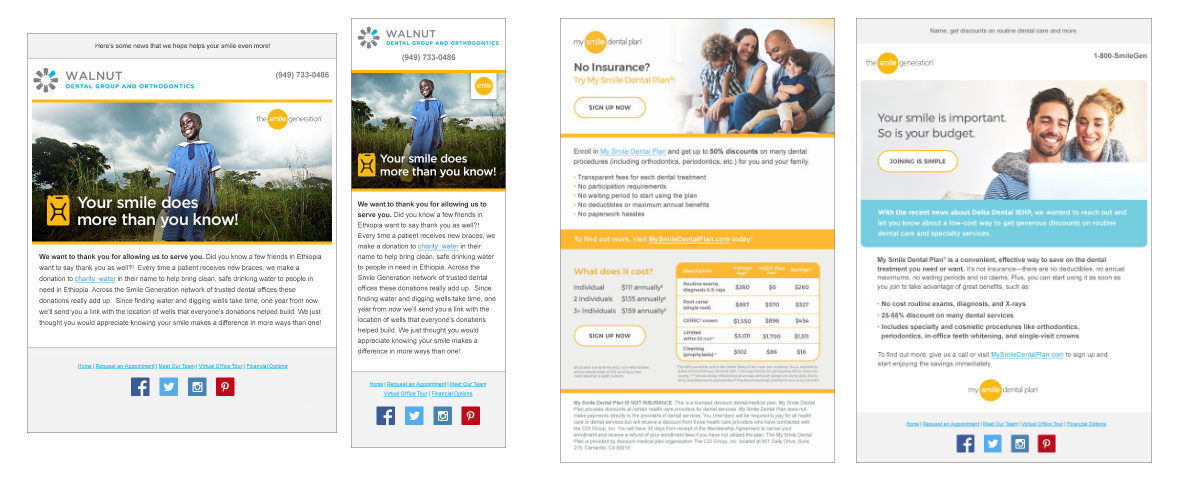
New Smile Generation email template, built in Salesforce.

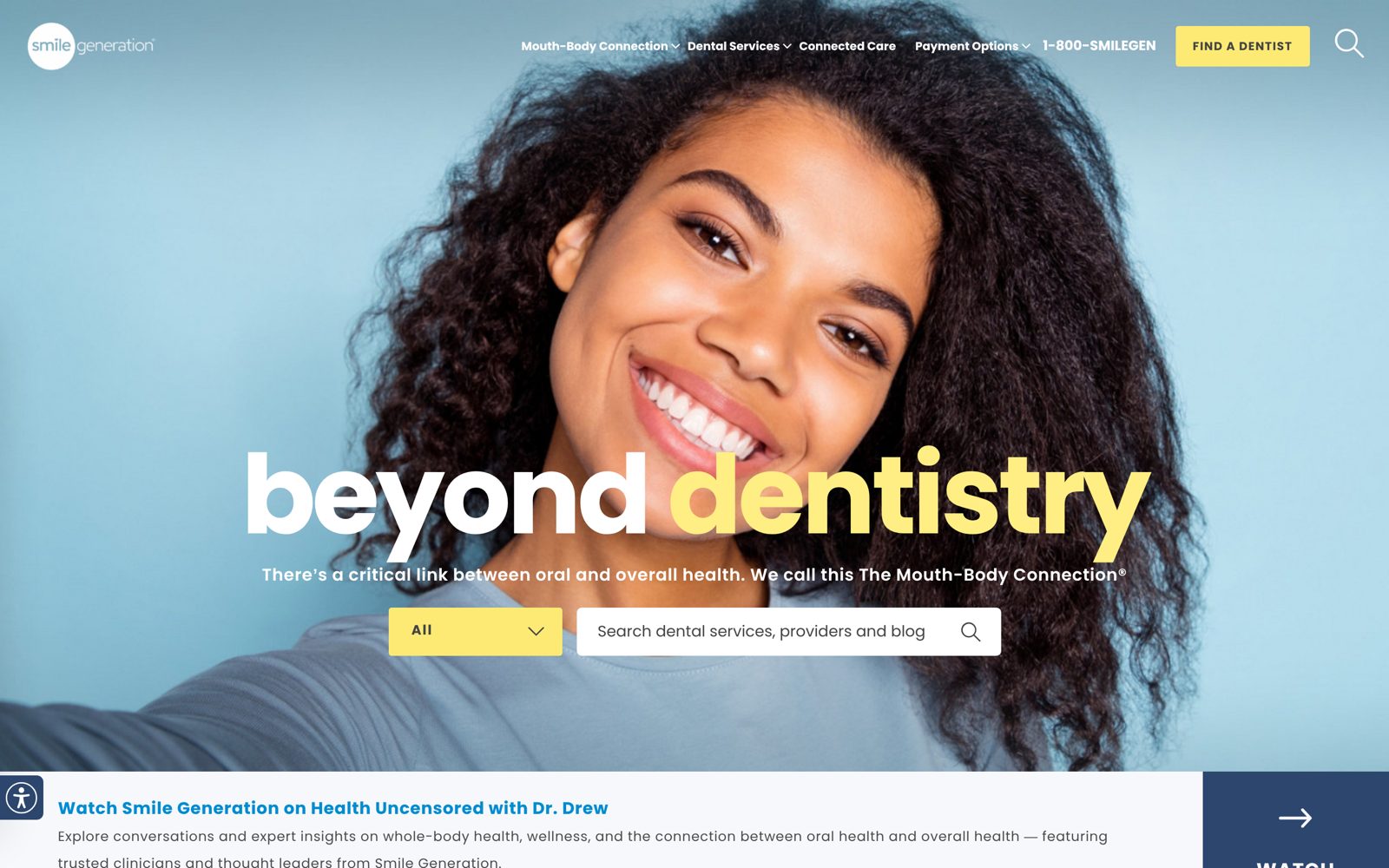
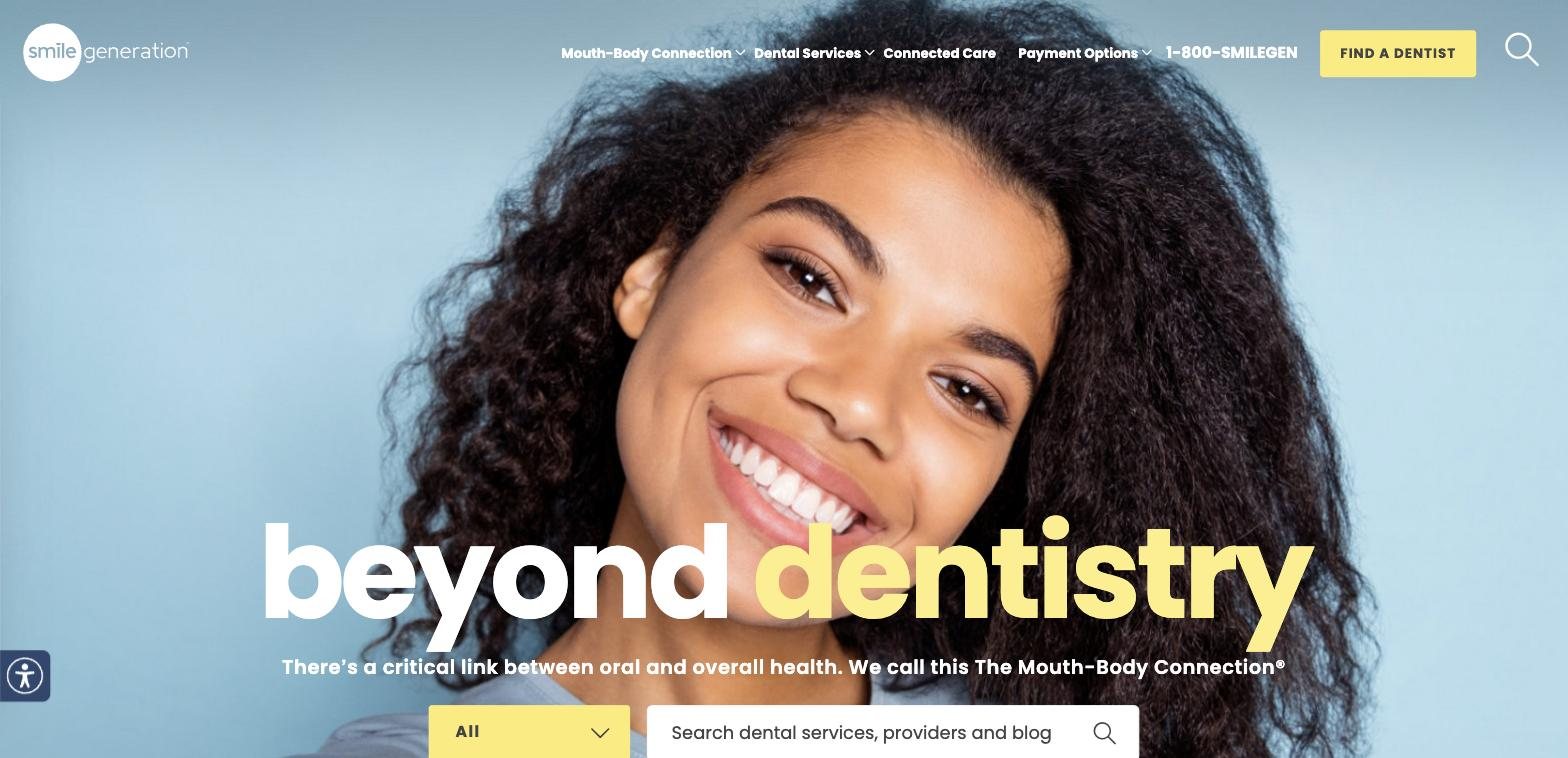
Now: smilegeneration.com today ↗

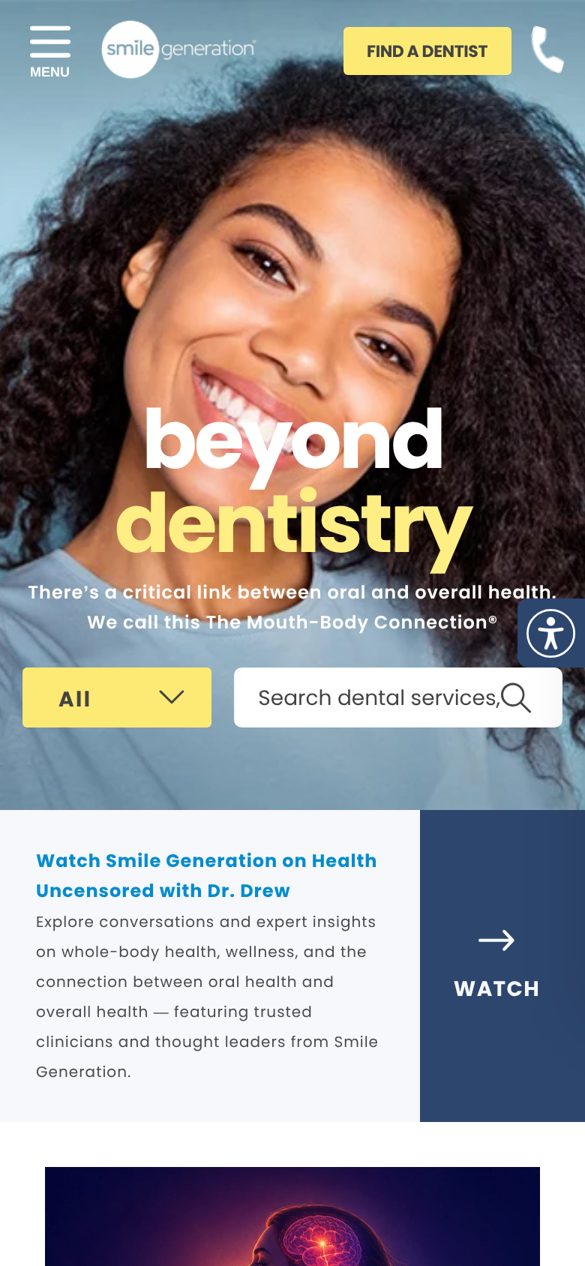
Smile Generation home page on desktop, captured October 2026.
The home page today on desktop, October 2026.
Smile Generation home page on a phone, captured October 2026.
And on a phone.
PDS Health

Animated Banners

Motion for offers, campaigns and social

Animated banners for the dental brands' offers and campaigns, from new patient specials to seasonal promotions, sized for social and the web.

All six were designed and animated by hand, before AI tools were part of my workflow. Click a banner to play it, with sound.

Motion designSocialCampaigns
PDS Health

Email Templates

A component system for email

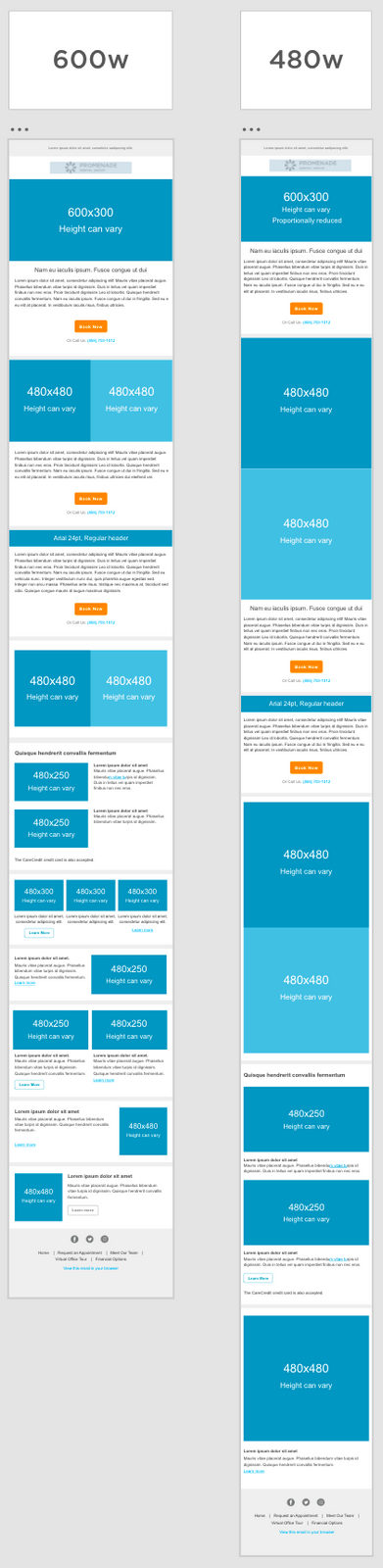
I led the move to a templated email system in Salesforce Marketing Cloud (ExactTarget). Designers pick from a dozen prebuilt components to build a wide range of emails.

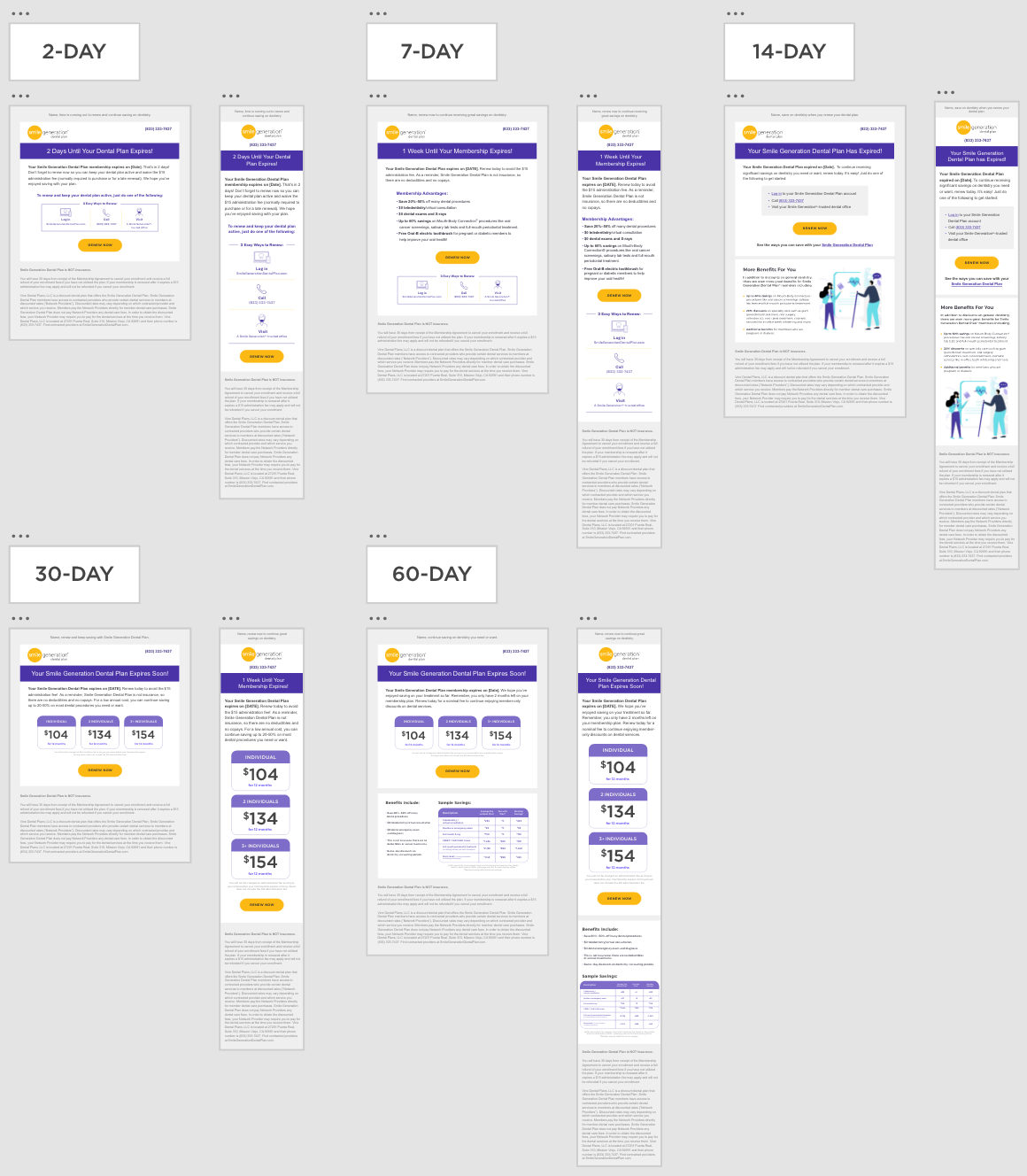
The templates cut design and development time sharply, and the emails drew more clicks and conversions. I also mapped the triggered journeys, deciding when each email goes out.

SalesforceEmail designJourney mapping
Triggered email cadence: 2, 7, 14, 30 and 60 days.
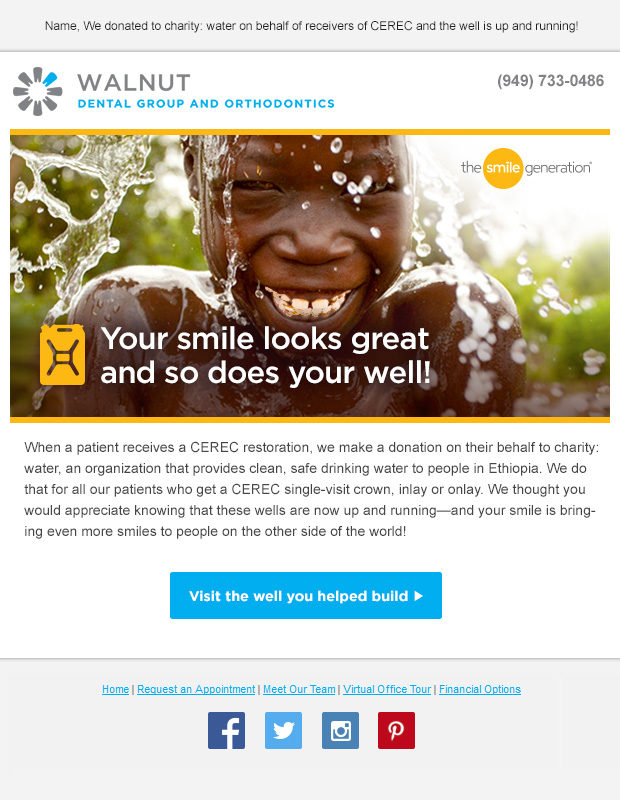
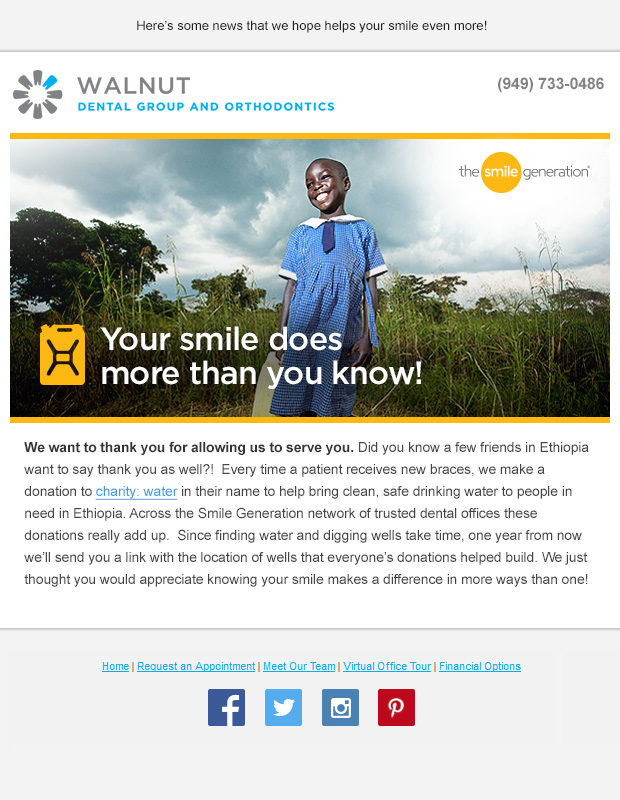
A thank-you email for the clean water well campaign.
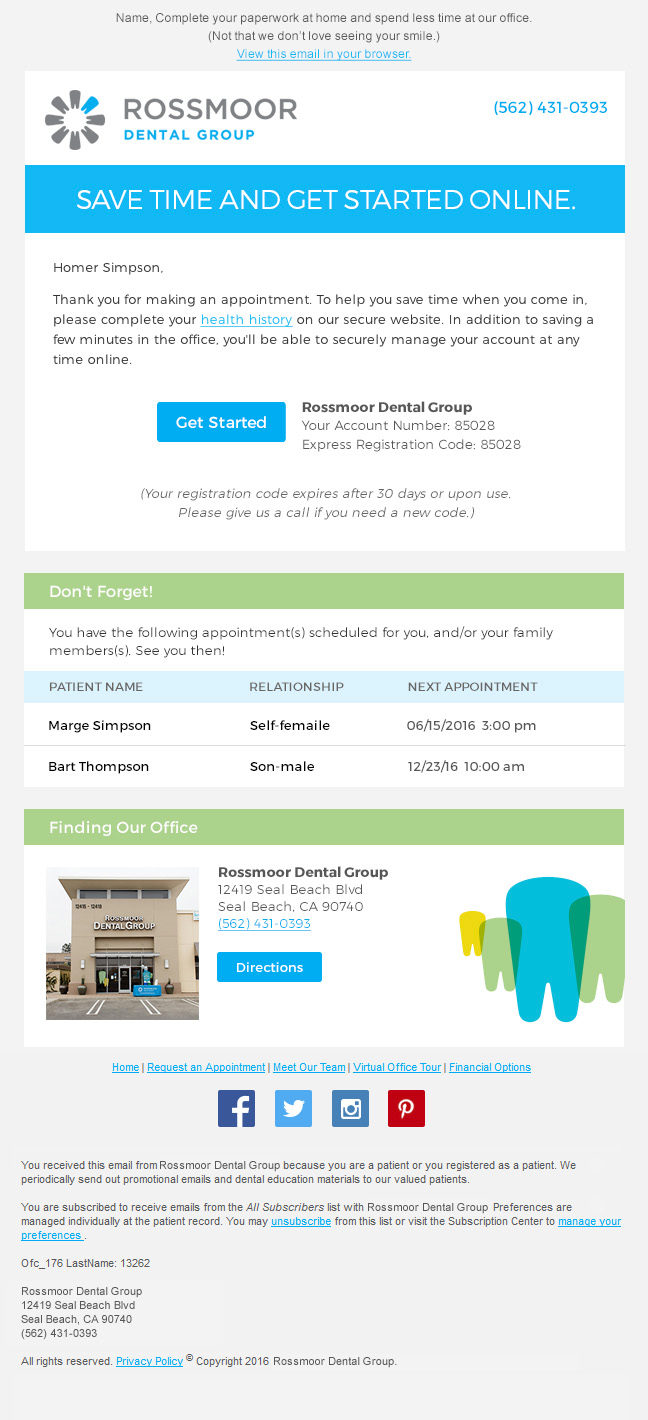
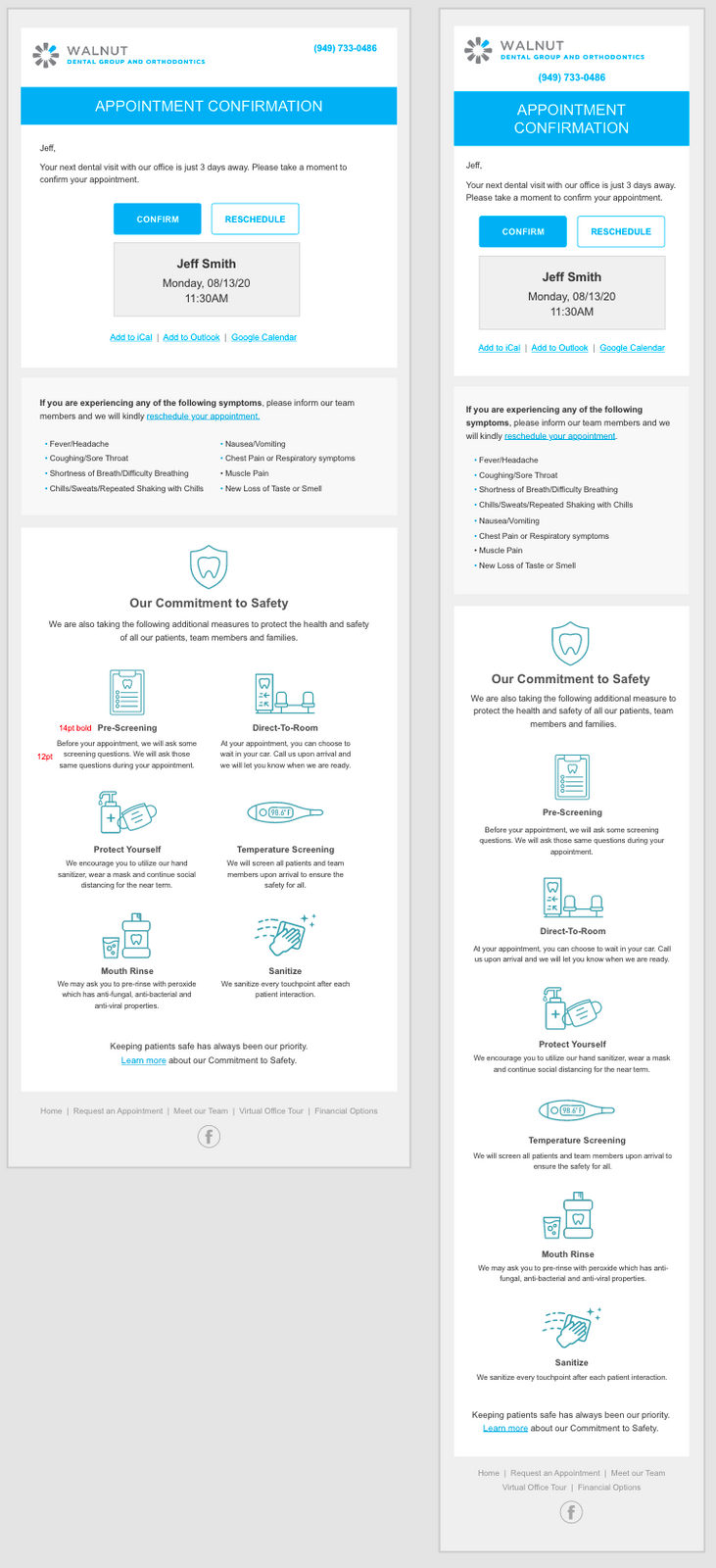
An appointment email built from the shared components.
The template system: components at desktop and mobile widths.
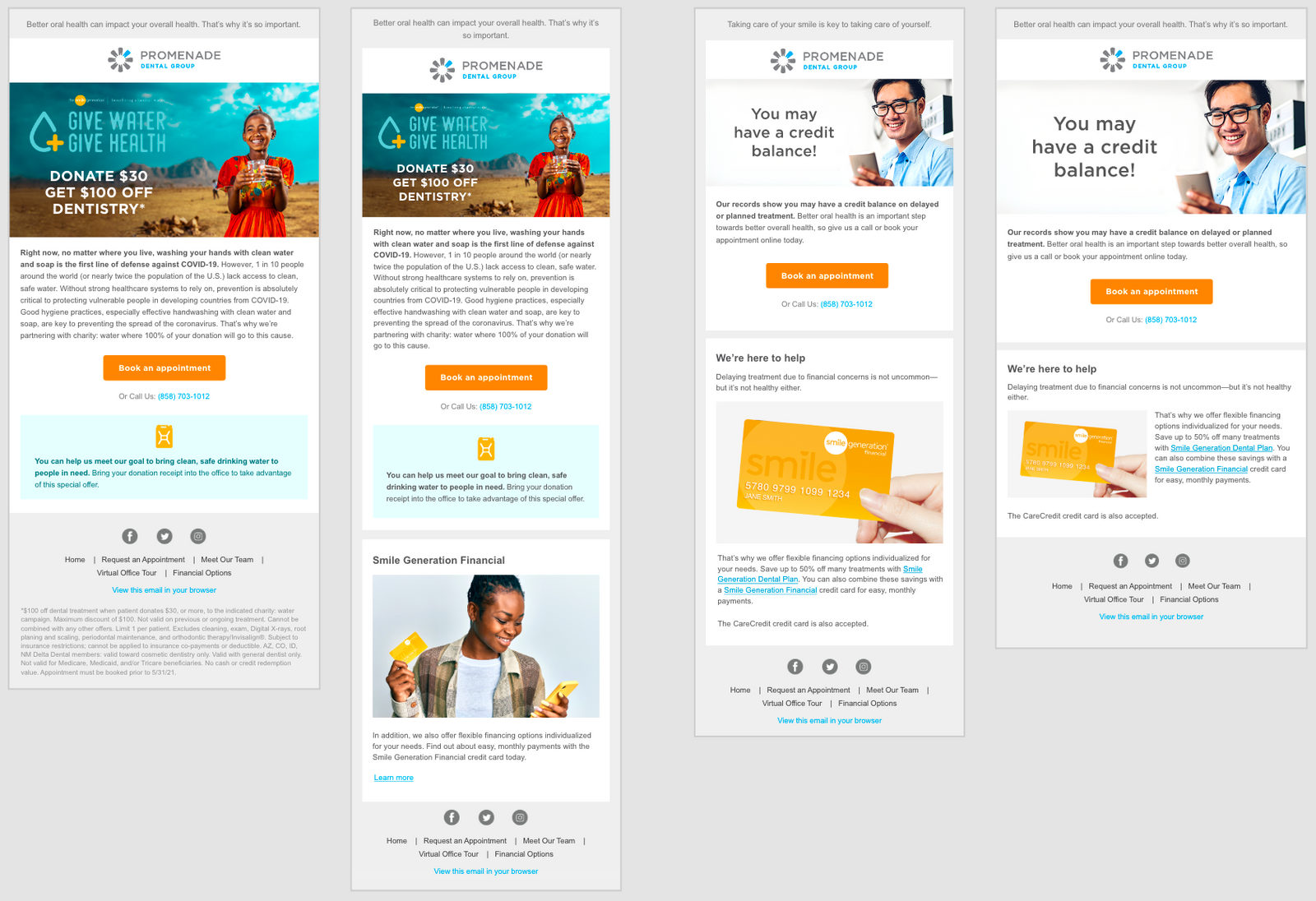
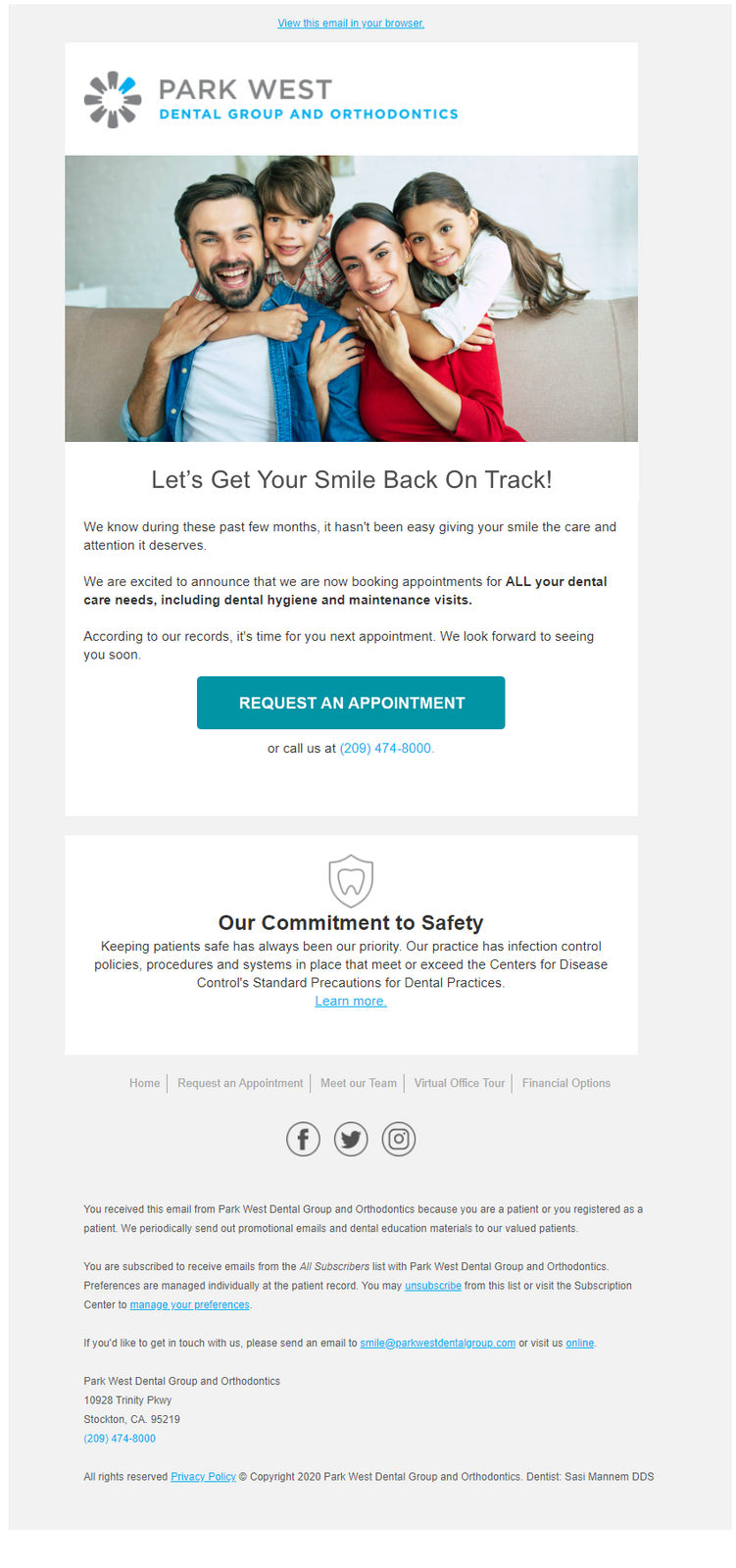
Campaign emails built from the shared components.
Clean water campaign, thank-you variation.
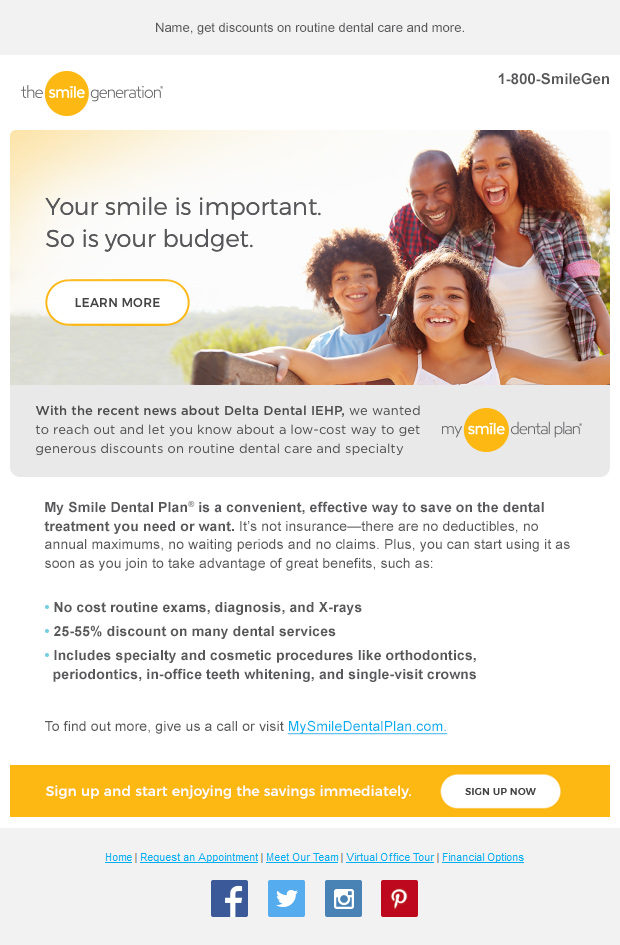
Smile Dental Plan email.
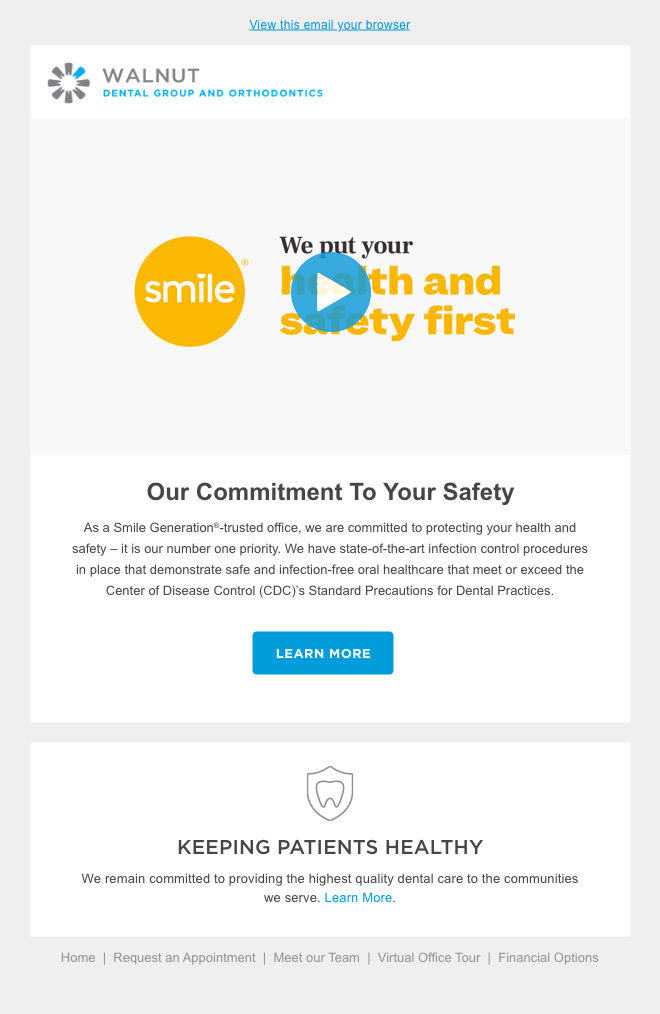
Safety-first reopening email with video.
Welcome-back email for an office.
Appointment emails at desktop and mobile widths.
← All work

2007–2015

Rent.com

An eBay companySanta Monica & San Jose, CAAug 2007 – Jan 2015

Seven years with the apartment listing site, first as its senior designer and then running creative services.

The roles

Creative Services Manager

Apr 2012 – Jan 2015

Ran creative services for marketing across web, social and print. That covered social media sweepstakes built to IAB standards and responsive, infographics, banner and email campaigns, and web and print campaigns.

Offline it meant trade show booth graphics, brochures and the Keynote presentations the company took into meetings.

Senior Designer

Aug 2007 – Apr 2012

Took the new Rent.com site from concept to production as a responsive design across five breakpoints. We brought in Filament Group, the team behind the Boston Globe’s paywalled site, widely seen as the first large-scale responsive website, to work alongside us.

Alongside the site I designed landing pages, email campaigns and banners, and created the style guides that kept the brand consistent.

Responsive webSocial campaignsEmailInfographicsStyle guidesTrade show
Responsive redesign

One of the first large responsive sites

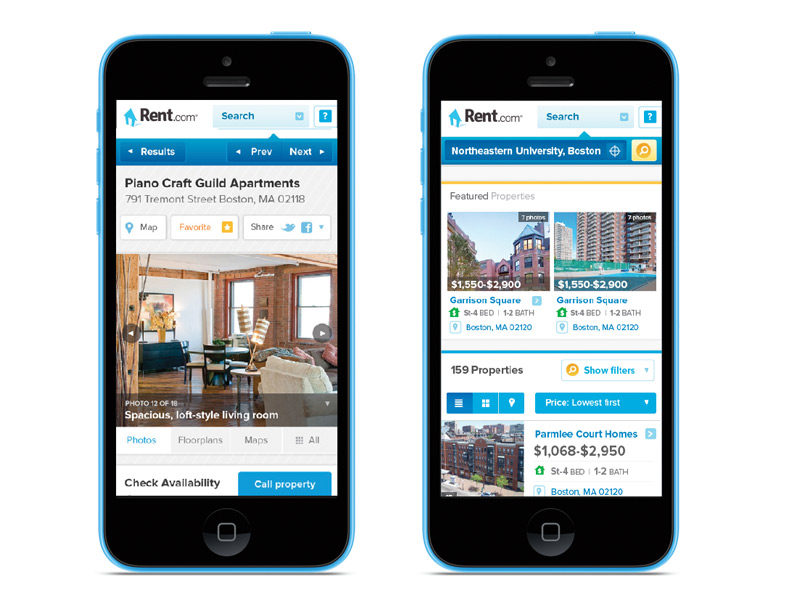
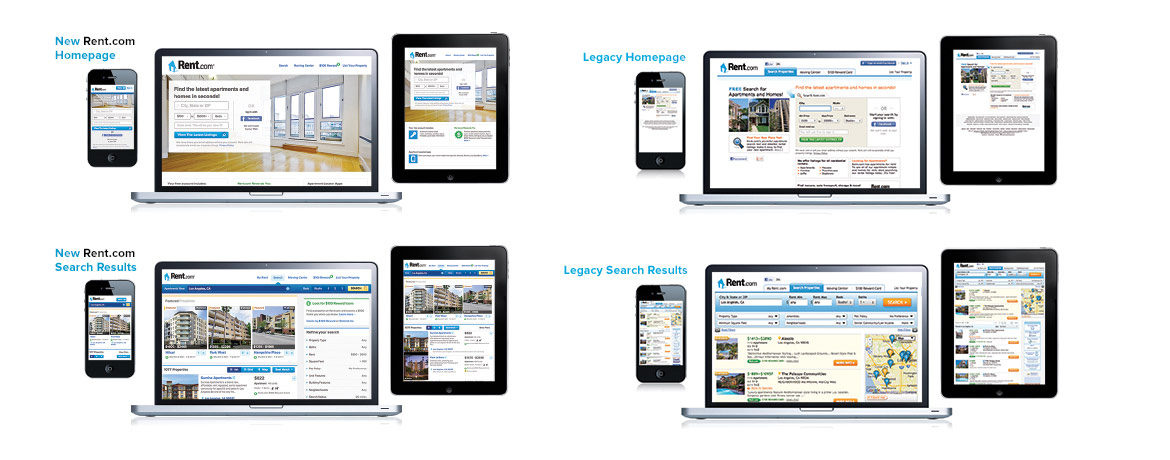
Our team rebuilt Rent.com as one of the first large-scale responsive websites, across five breakpoints, so it worked on desktops, laptops, tablets and phones.

We built user personas from user segment research, focus groups and online rental market studies. Base styles came first for the key landing and search pages, and wireframes were drawn as the first styles were coded. After launch, leads went up on both desktop and mobile.

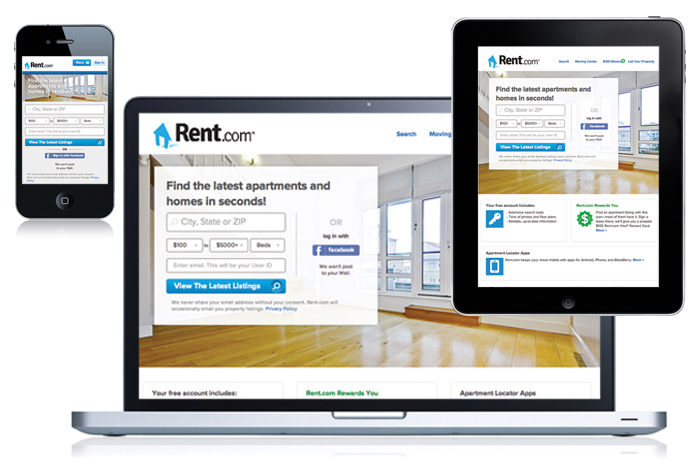
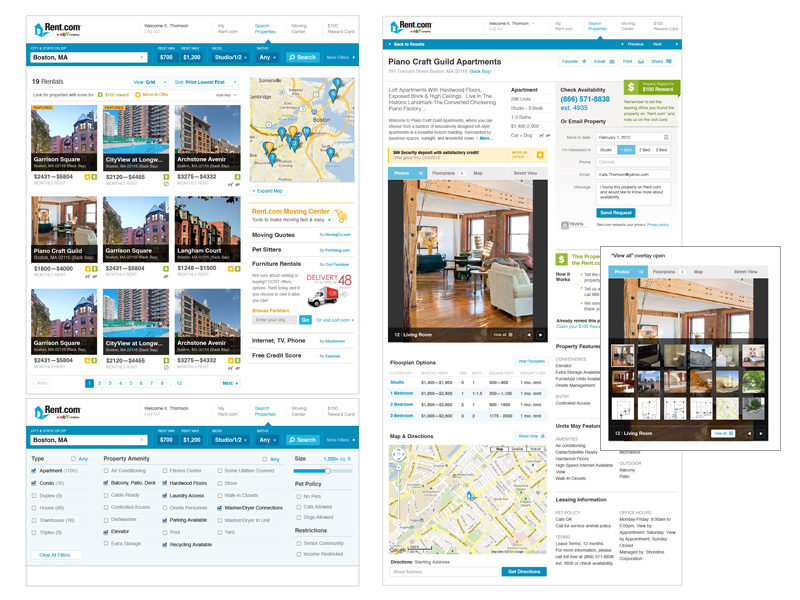
The responsive site across laptop, tablet and phone.
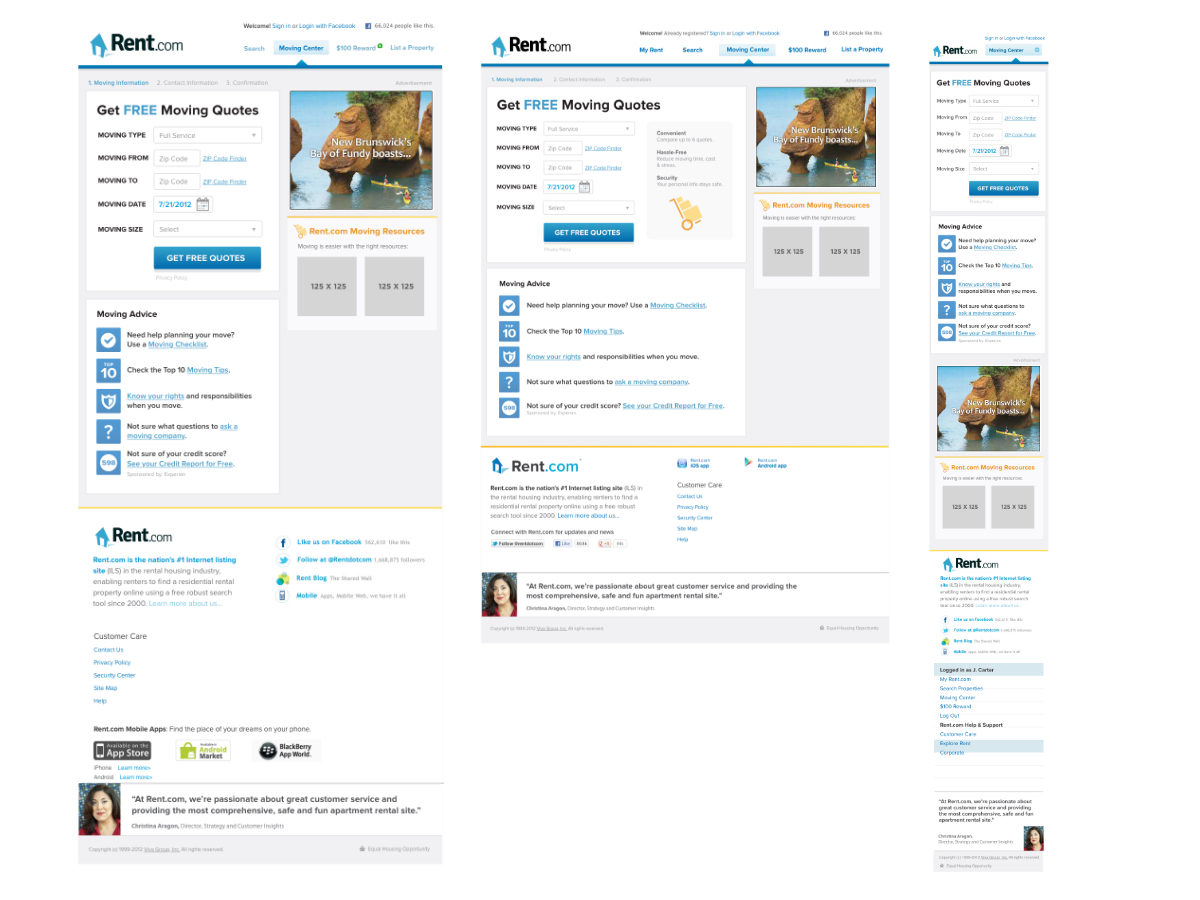
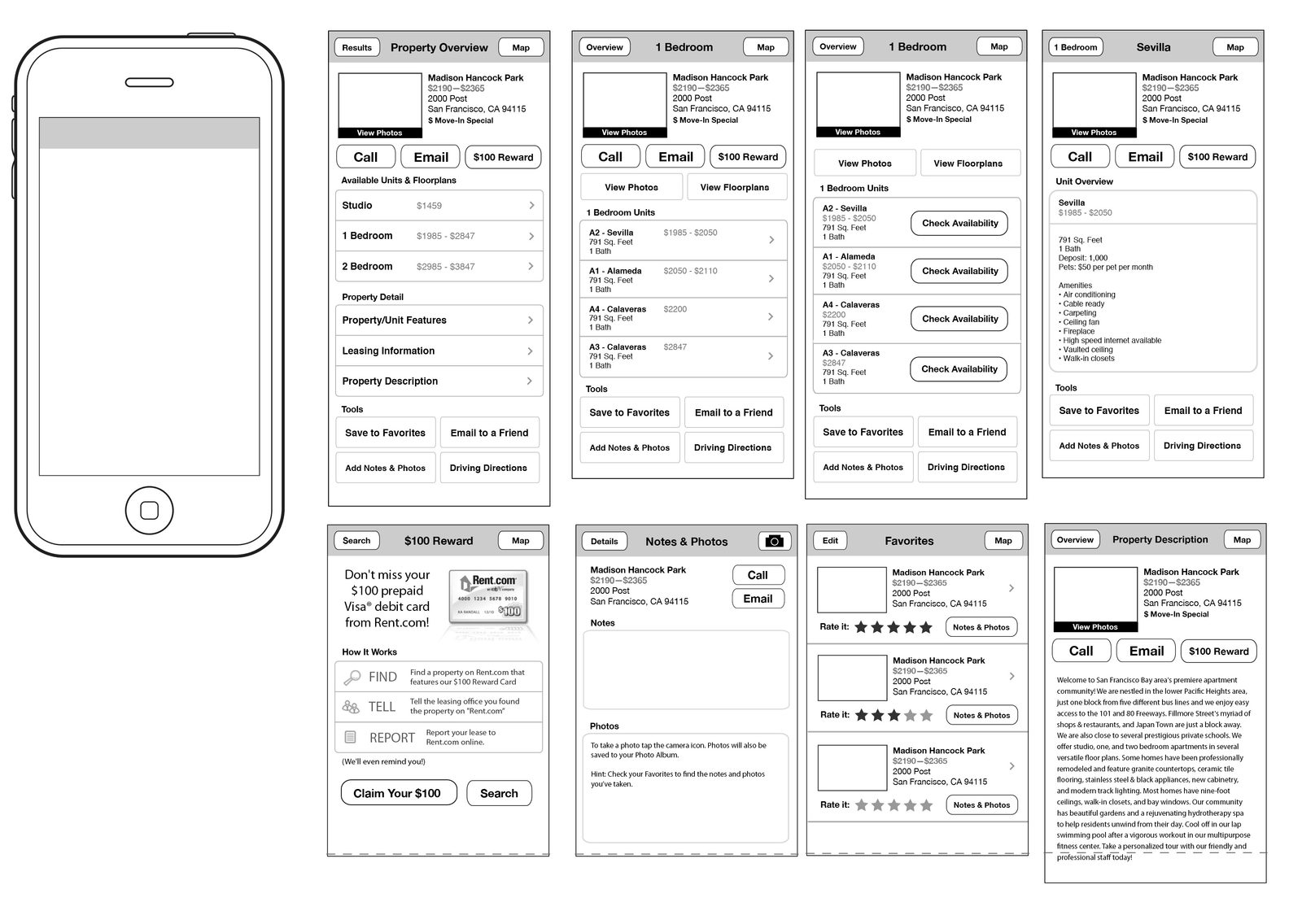
Wireframes for the search and property pages.
Property pages on mobile.
The site across every device size.
Search results and property detail pages.
Landing page and email designs.
Campaigns

Print, guides and events

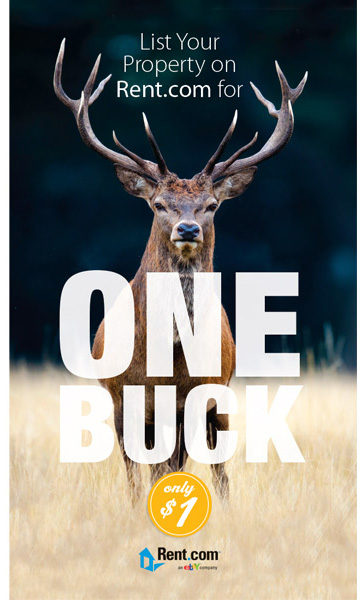
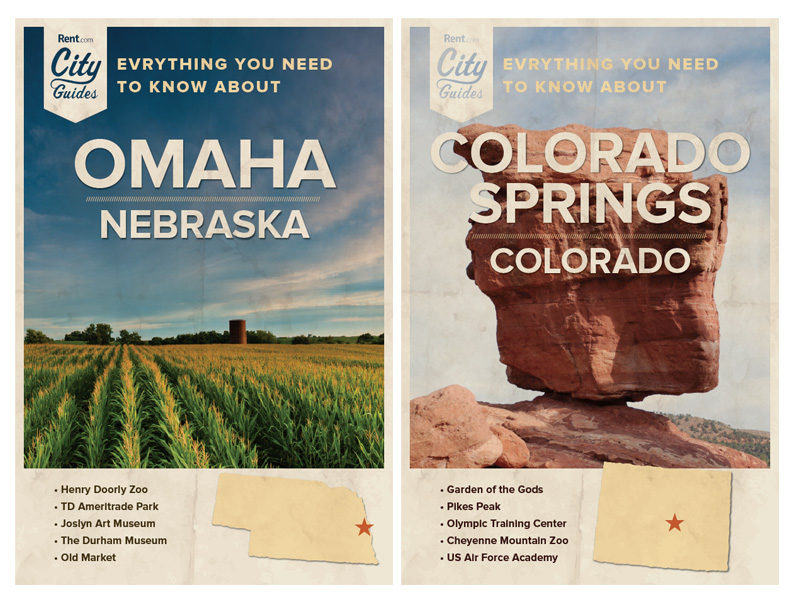
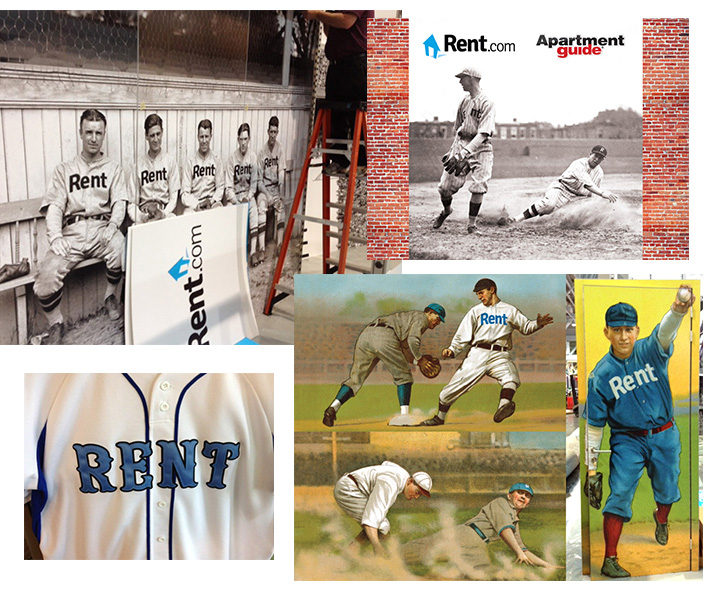
Beyond the site, I designed the campaigns that brought renters and property managers to it, city guides for markets across the country, and the trade show booth.

One Buck: list your property on Rent.com for $1.
City guides: Omaha and Colorado Springs.
Trade show booth montage with a vintage baseball theme.
← All work

2007

5th Gear Advertising

Art DirectorCulver City, CAMar – Jul 2007

A short agency stint between two long in-house roles, art directing campaigns for agency clients across print, outdoor and online.

The work

Campaigns from billboard to banner

Agency work moves fast and covers every format. In five months I art directed print ads, websites, email and banner campaigns, postcards, billboards, point-of-purchase displays and newsletters, and designed logos for clients.

The pace taught me to hold one campaign idea steady across very different sizes and media, which is the same problem a component library solves on the web.

Print adsOutdoorPOP displaysWebsitesEmailLogos
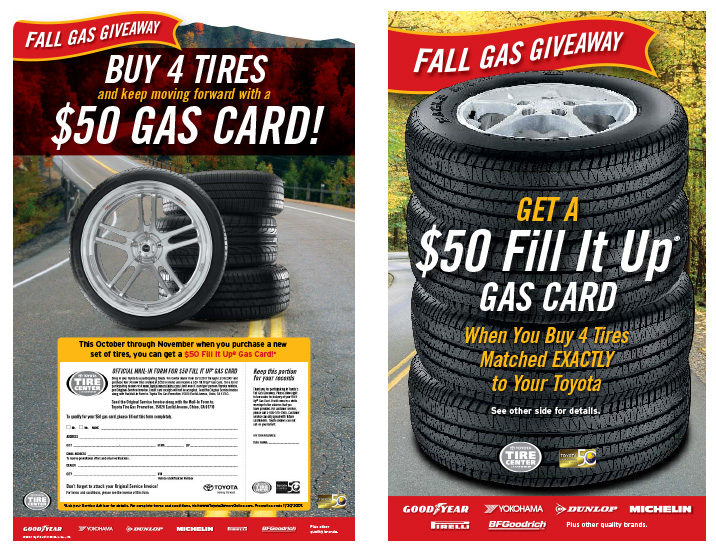
Fall Gas Giveaway: tire promotion posters.
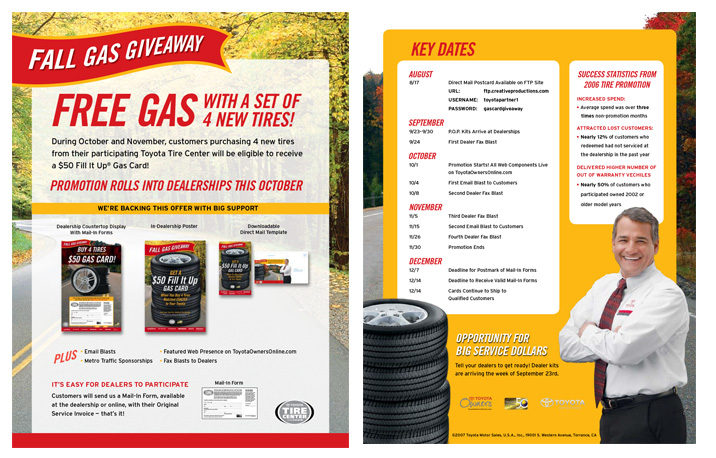
Free gas tire promotion, with dealer sell sheet.
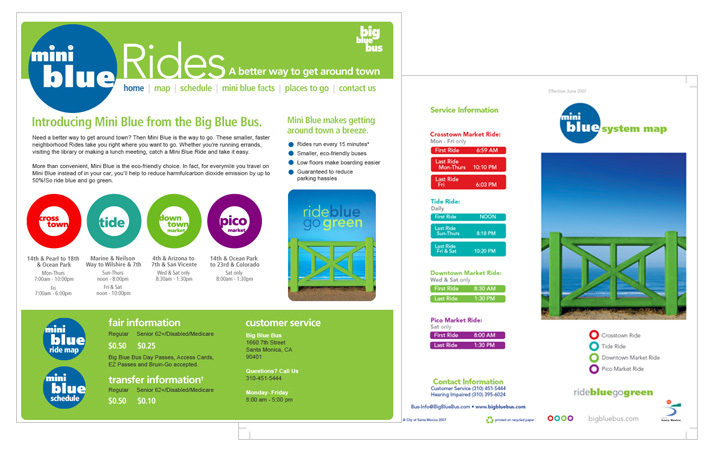
Mini Blue Rides: the blue bus campaign.
← All work

1999–2007

WeddingChannel.com

Art DirectorLos Angeles, CAApr 1999 – Feb 2007

Eight years building a wedding brand from a start-up to its sale, as art director across web, print and packaging.

The work

A brand from start-up to sale

I joined when the company was a start-up and stayed through its sale. On the web I developed wireframes and visual designs, email and banner campaigns, Flash banners and flipbooks, microsites, sweepstakes and promotions.

Off the web I designed magazine ads, offline advertising campaigns, DVDs, postcards, brochures and packaging, along with the logo, identity, illustration and style guides that tied it together.

IdentityWireframesVisual designMicrositesMagazine adsPackagingIllustration
Partners

Working with the biggest names in retail

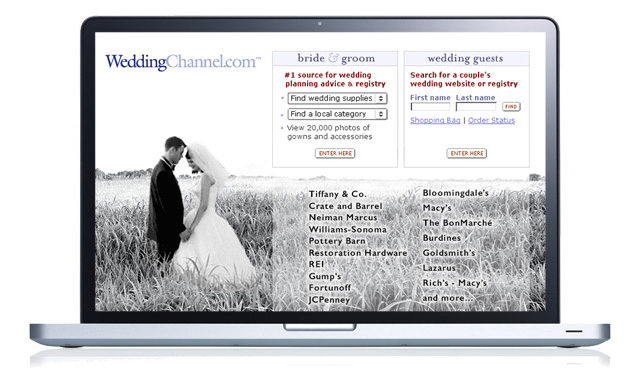
WeddingChannel built the largest wedding registry search on the internet, with partners like Macy's, Bloomingdale's, Tiffany, Williams-Sonoma, Disney and REI. I managed design staff and led the creative direction for the look, feel and functionality of WeddingChannel's brands and its partners' pages.

I created wireframes and worked with product managers, engineering, QA and senior management to design new features and refine existing ones.

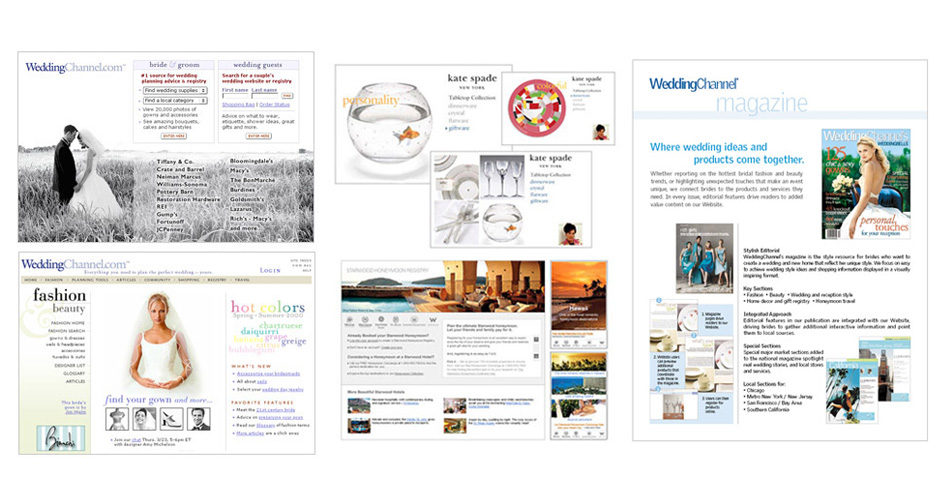
The WeddingChannel.com home page and registry search.
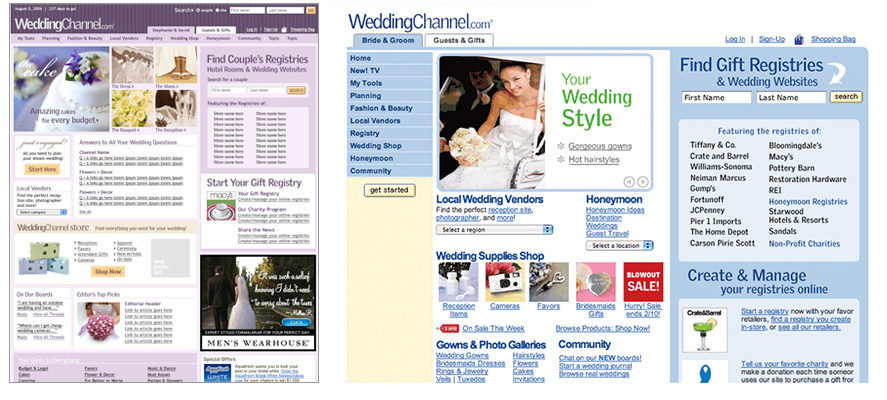
Home page and wedding style pages.
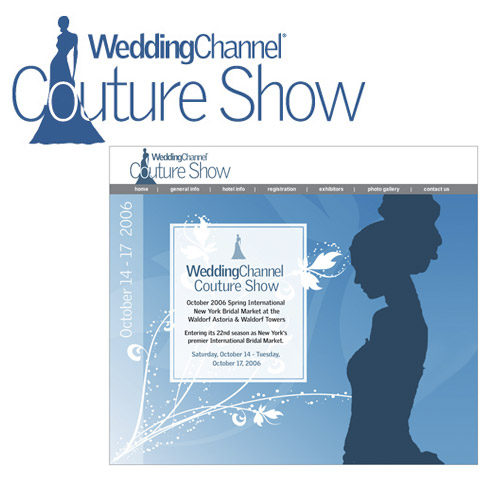
WeddingChannel Couture Show identity and invitation.
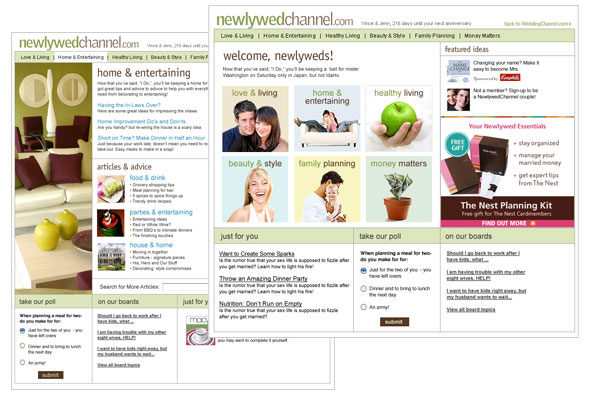
Newlywed home and entertaining pages.
Bridal and registry pages.
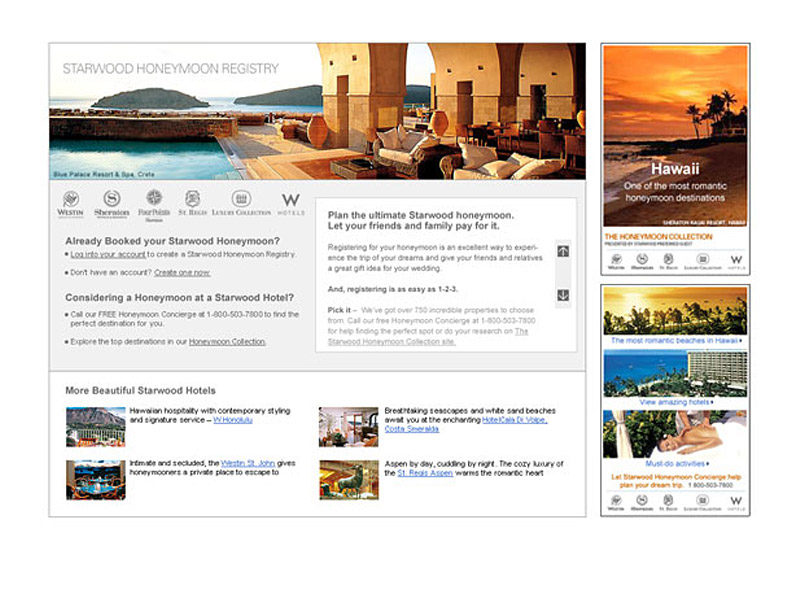
Honeymoon destination email.
Site pages and promotional ads.
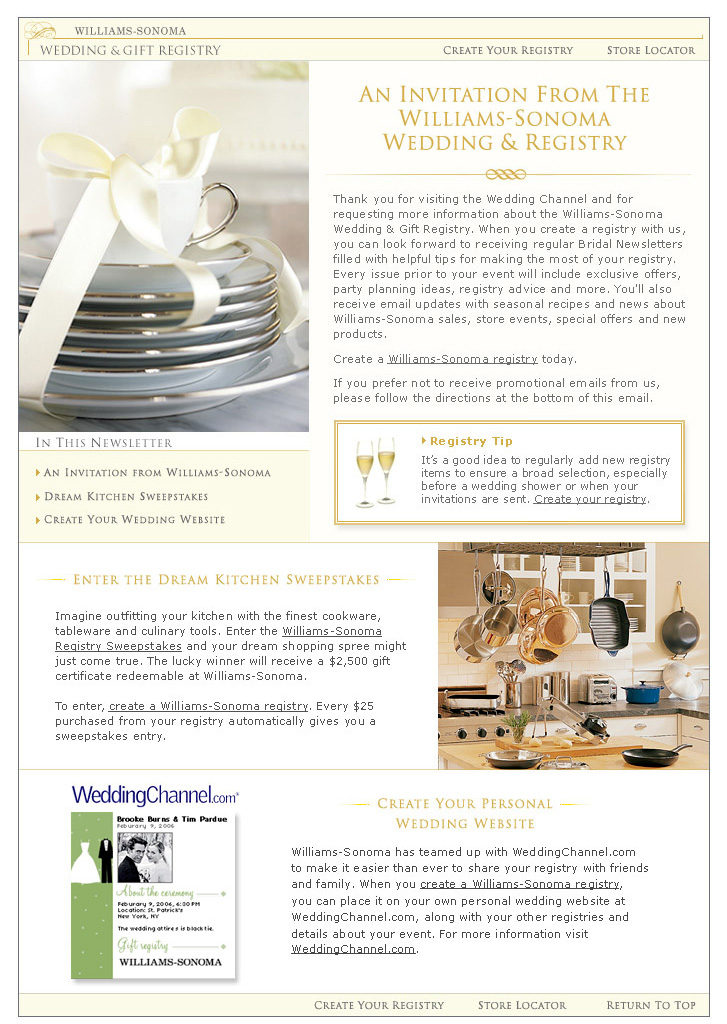
Williams-Sonoma wedding and registry invitation.
Print

Magazine ads

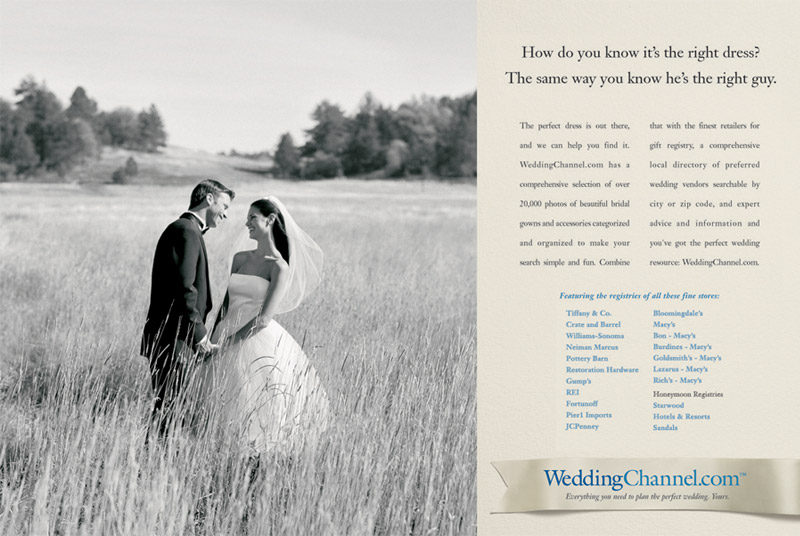
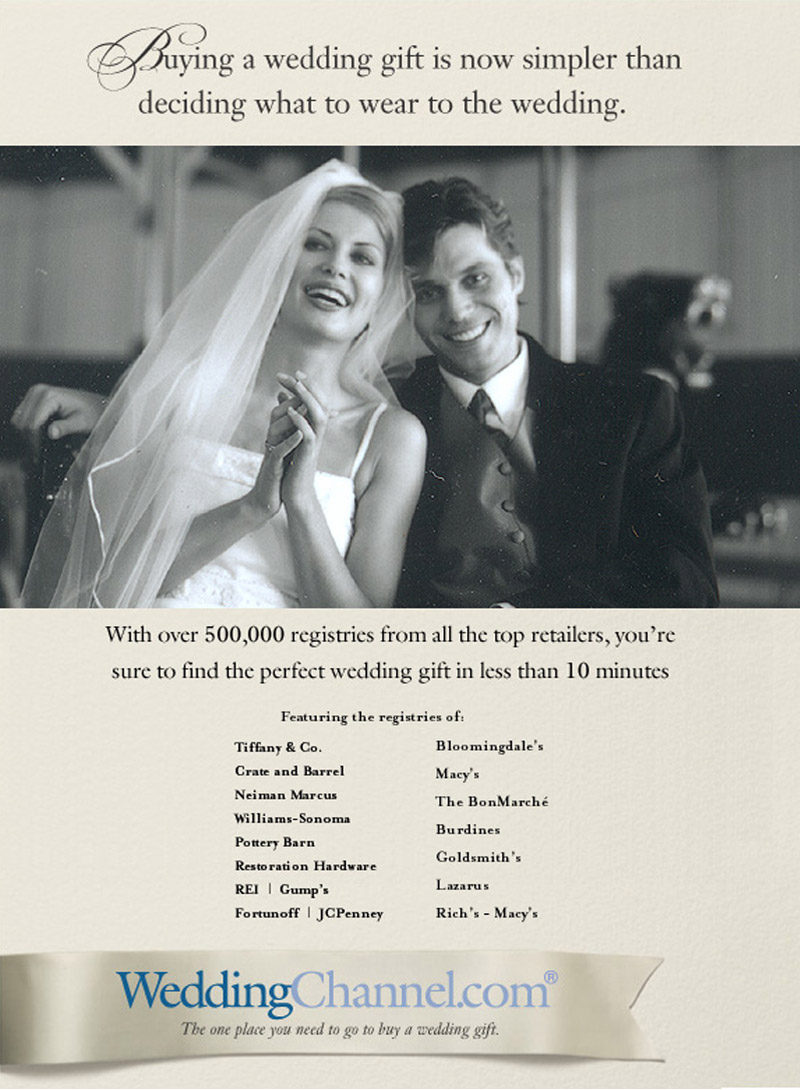
Print ads that carried the brand off the web and into bridal magazines.

How do you know it’s the right dress? Magazine ad.
Buying a wedding gift is now simpler than deciding what to wear. Magazine ad.
Contact

Looking for a designer who can also get it built?

Based inLong Beach, CA
David Meyer · Senior UX/UI DesignerScreens captured from live sites, October 2026